Brother Copier Boards: Compatibility, Page Yield and Sourcing Tips for B2B Buyers
Most Brother board returns we see at the factory gate trace back to one of two mistakes: a buyer matched a board by model number only, ignoring the sub-variant, or a supplier shipped a board pulled from a machine with a different engine configuration. Brother's mono and colour ranges share board names across generations, and that is where the trouble starts. Get the compatibility and inspection steps right and the rest of the order becomes routine.
Compatibility: Match the Variant, Not Just the Model
Brother's laser families split into distinct board generations even within a single series. An HL-L2300 series machine and an HL-L2350 series machine look similar on the outside, but the main board, formatter and power supply differ in connector layout and firmware. The same applies to the DCP and MFC ranges: a DCP-L2520 board will not sit correctly in an MFC-L2700 chassis, and the reverse fails at the interface connector. Buyers who order by series name alone are the ones who end up with a box of dead stock.
Colour machines add another layer. The MFC-L8600 and L8900 families use a different formatter board from the mono range, and the high-yield variants sometimes carry a revised board revision letter stamped near the serial area. Ask your supplier for the full part number plus the revision suffix, not just the model. A board marked with a later revision is usually backward-compatible with earlier units, but not always the other way round, so confirm direction before you commit to a large lot.
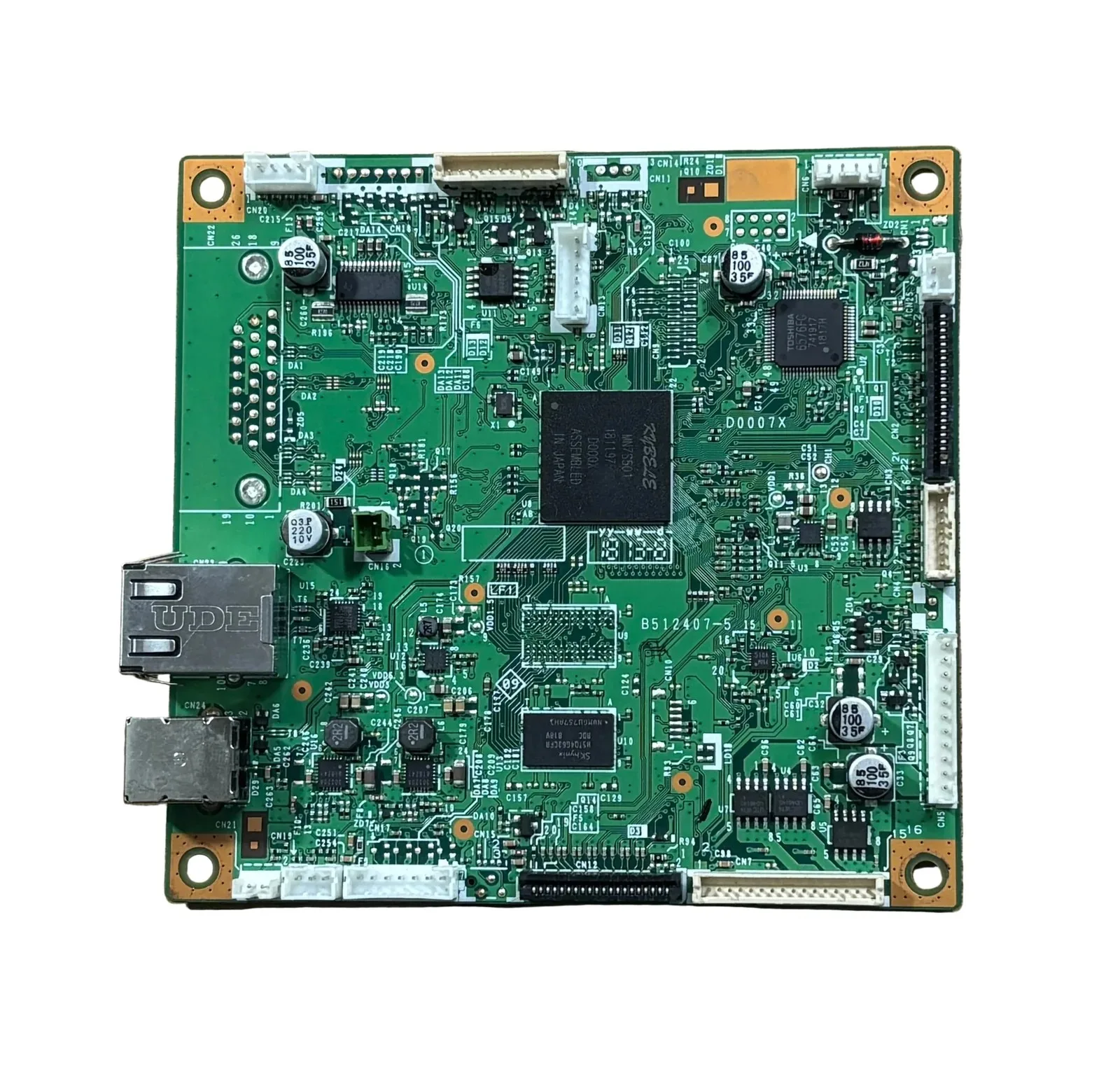
For copier repair shops, the practical rule is to photograph the original board before removal, including every connector and the label. Send that photo with the order. It removes most of the ambiguity that email-based model matching creates, and it gives your supplier a clear reference if a dispute arises.
Page Yield: What Boards Actually Affect
Boards do not have a page yield in the way toner cartridges do, but they control the counters that decide when a machine stops. A replacement main board usually arrives with a blank or reset counter, and the machine will then run to the full rated life of the drum and toner it sees. That is usually what a refurbisher wants. The catch is firmware: a board carrying older firmware may not recognise newer toner chips, and the machine will throw a toner error before the cartridge is empty.
Formatter boards and engine boards also carry region and market settings. A board configured for a different region can refuse to accept locally sourced cartridges, or it can lock the machine into a service mode that the end user cannot clear. When you buy in volume for a distributor, ask whether the board is pre-flashed to your market and whether the counter has been cleared. A supplier who cannot answer that question is probably pulling boards from scrap machines without testing.
For high-volume dealer accounts, the sensible approach is to standardise on one board revision per model family and keep a small buffer of the next revision. That keeps your service technicians from carrying three different boards for what looks like the same machine.
Inspection Points Before You Accept a Lot
Board failures in transit are common, and most are visible if you know where to look. Connector pins bend first. Check every header for straight pins and for cracked solder at the base, especially on the power connector and the flat-flex sockets. A board that has been pulled from a machine often shows heat discolouration around the power section; light browning is normal on older units, but dark scorching means the board ran hot and will fail again.
Then check the capacitors. Bulged tops or residue at the base are a rejection. On Brother boards, the power supply section is the usual culprit, and a board that passed a quick power-on test can still fail after twenty minutes under load. Ask for a burn-in test result, not just a photo.
- Straight pins and no cracked solder at headers
- No scorching or heavy discolouration near the power section
- Capacitors flat, no residue or bulging
- Label and revision suffix legible and matching the order
- Firmware version and counter status confirmed in writing
Packaging matters as much as the board. Anti-static bags, foam corner protection and a rigid carton are the minimum for export. Boards shipped loose in a poly bag arrive with bent pins more often than not.
Sourcing: Factory-Direct Versus Trader Stock
Most Brother boards on the open market come from one of three places: authorised OEM channels, refurbished pulls from end-of-lease machines, and factory-direct production. Trader stock is fine for a single repair, but it is unpredictable at volume. Pulls vary in revision, firmware and cosmetic condition, and the grading language used by traders is loose. If your business depends on repeat orders to distributors, a consistent supply of tested boards is worth more than a low unit price.
Factory-direct supply lets you specify the revision, the firmware region and the counter state before production. It also lets you order under your own brand, which matters for distributors building a private-label parts line. Ask for the test protocol: power-on, print test, and a short burn-in are the baseline. A supplier who tests only for continuity is not testing the board.
Lead time and MOQ are the other half of the decision. Boards are small and light, so air freight is usually viable for urgent lots, while sea freight suits container-level orders for established distributors. Confirm the MOQ per revision, because a low MOQ on the main revision often hides a high MOQ on the variants you actually need.
Working With CLONER
CLONER produces Brother-compatible boards and copier spare parts factory-direct, with OEM and ODM options for distributors who need their own labelling, packaging and firmware configuration. Tell us the model family, the revision and the market you sell into, and we will confirm compatibility before the order is built rather than after it lands. Samples are available for evaluation, and our engineering team can work from your photographs or a sample board to match a variant that is not yet in our catalogue.
Need a quote or samples from CLONER?
Factory-direct OEM/ODM supplier of compatible printer consumables & spare parts. Tell us your models — reply within 24h.