Samsung LED Unit Failures: A Buyer's Guide to Inspection and Selection
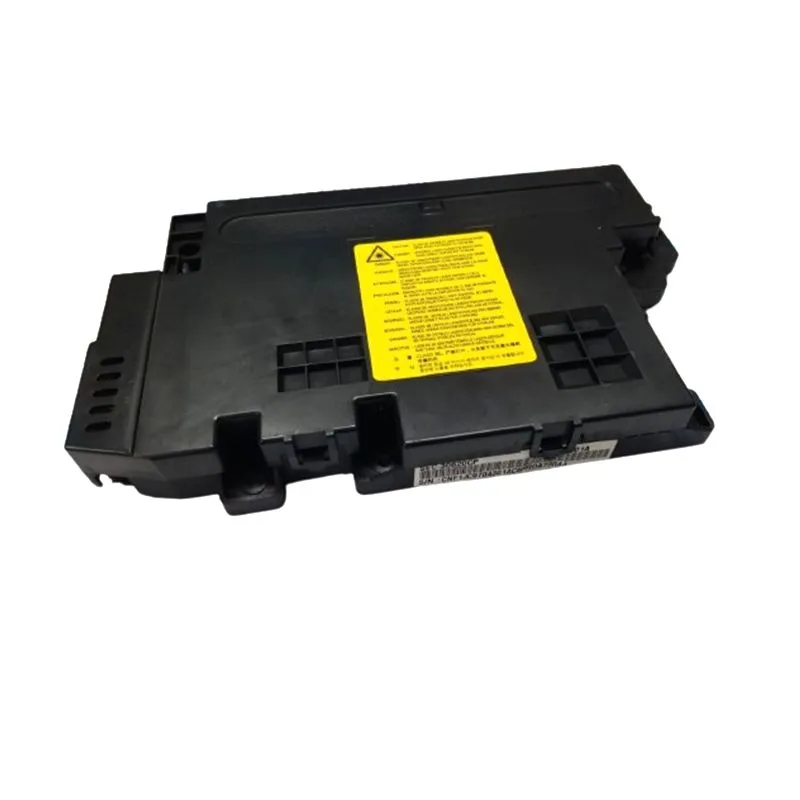
LED units on Samsung copiers and MFPs fail more often than the rest of the imaging assembly, and the failure pattern is consistent across models. Buyers who understand why these units fail—and how to spot a bad batch before it reaches their customers—avoid costly returns and protect their reputation. This guide covers the common failure modes, what to inspect when evaluating stock, and how to choose a supplier that delivers consistent quality.
Why Samsung LED Units Fail: Root Causes
Samsung's LED print head (LPH) units are sensitive to heat, voltage spikes, and mechanical stress. The most frequent failure is LED array degradation: individual LEDs dim or die, causing vertical streaks or bands on prints. This often stems from poor thermal management—Samsung machines run hot, and low-grade units lack adequate heat sinking. Another common issue is driver IC failure, where a single IC chip stops firing, producing a repetitive vertical line. Cheap units often use under-spec'd ICs that can't handle the current load.
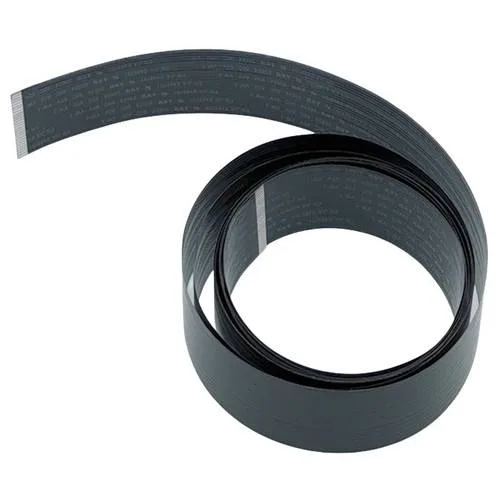
Connector and cable problems are equally common. The flat flexible cable (FFC) that links the LED unit to the main board can develop micro-cracks from repeated opening and closing of the front cover, leading to intermittent errors like "LSU Motor Error" or blank prints. Dust and toner intrusion into the LED lens array is another culprit—especially in high-volume environments—causing blurred or faded output. Finally, power supply fluctuations during operation can fry the LED unit's internal regulator, a failure that's often misdiagnosed as a main board issue.
Inspection Checklist for Incoming LED Units
When you receive a shipment of Samsung LED units, don't just spot-check one box. Test a sample from each batch, and look for these red flags: dust, scratches, or residue on the LED window; a misaligned or damaged FFC; and any vertical streaks or banding on a test print. A clean, uniform lens surface and a straight cable with an intact latch are minimum requirements. For high-volume buyers, invest in a simple test jig that powers the LED unit and checks each LED segment. This catches marginal units that pass a quick visual but fail under load.
If the unit is a pull, check the machine's error log for recurring LED-related codes (e.g., "LSU Error" or "LED Unit Failure"). After a 10-minute continuous print run, carefully feel the heat sink—excessive heat indicates poor thermal design or a failing unit. Also, verify that the part number matches the exact Samsung model. LED units for the Xpress series (e.g., C410, C430) are not interchangeable with ProXpress or MultiXpress units, even if they look similar.
Selection Criteria: What Separates Good Units from Bad
The market is flooded with low-cost LED units that cut corners on components. A quality unit uses branded LEDs (e.g., from Nichia or Osram) and driver ICs from established manufacturers. Ask your supplier for the BOM (bill of materials) or at least the LED and IC brands—reputable factories will share this. Cheaper units often use unbranded LEDs with lower brightness and shorter lifespan, leading to premature fading and streaks.
Thermal design is another differentiator. Look for units with a substantial aluminum heat sink and thermal pads that make proper contact with the LEDs. Some low-end units use thin steel plates that don't dissipate heat effectively, causing early failure. Also, check the connector quality: high-grade FFCs have reinforced ends and gold-plated contacts for reliable signal transfer.
Finally, consider the supplier's testing protocol. A factory that runs each unit through a burn-in test (e.g., 2-hour continuous operation) and a print quality check will have far lower field failure rates. Ask about their QA process—if they can't describe it, walk away.
Avoiding Failures in the Field: Installation and Maintenance Tips
Even a good LED unit can fail prematurely if installed incorrectly. Ensure that the unit is seated firmly and that the FFC is routed without tension. A loose connector can cause intermittent errors that mimic LED failure. During maintenance, never touch the LED window with bare fingers—oils cause permanent damage. Use a soft brush or lint-free cloth to remove dust, and avoid blowing compressed air directly at the lens, which can force debris into the array.
Power quality matters. In regions with unstable voltage, recommend a surge protector or voltage stabilizer for the machine. Many LED unit failures trace back to power spikes that stress the internal regulator. Also, keep the machine's firmware updated—Samsung has released updates that adjust LED driving parameters to improve longevity on certain models.
Why CLONER's Factory-Direct LED Units Reduce Failure Rates
CLONER manufactures LED units for Samsung machines in our own factory, which means we control every step from component sourcing to final testing. We use branded LEDs and driver ICs, and each unit undergoes a 100% burn-in test and print quality verification before packing. Our OEM/ODM service lets you specify component brands, packaging, and even firmware compatibility to match your market's needs.
Because we sell factory-direct, you avoid the markups and quality inconsistencies of trading companies. We can provide detailed test reports and batch traceability, so you know exactly what you're getting. For distributors and repair shops dealing with Samsung machines, that reliability translates to fewer returns and happier customers. Contact us to discuss your requirements and get a sample batch for evaluation.
Need a quote or samples from CLONER?
Factory-direct OEM/ODM supplier of compatible printer consumables & spare parts. Tell us your models — reply within 24h.