Print Head for Ricoh: Compatibility, Page Yield, and Sourcing Tips for Smart Buyers
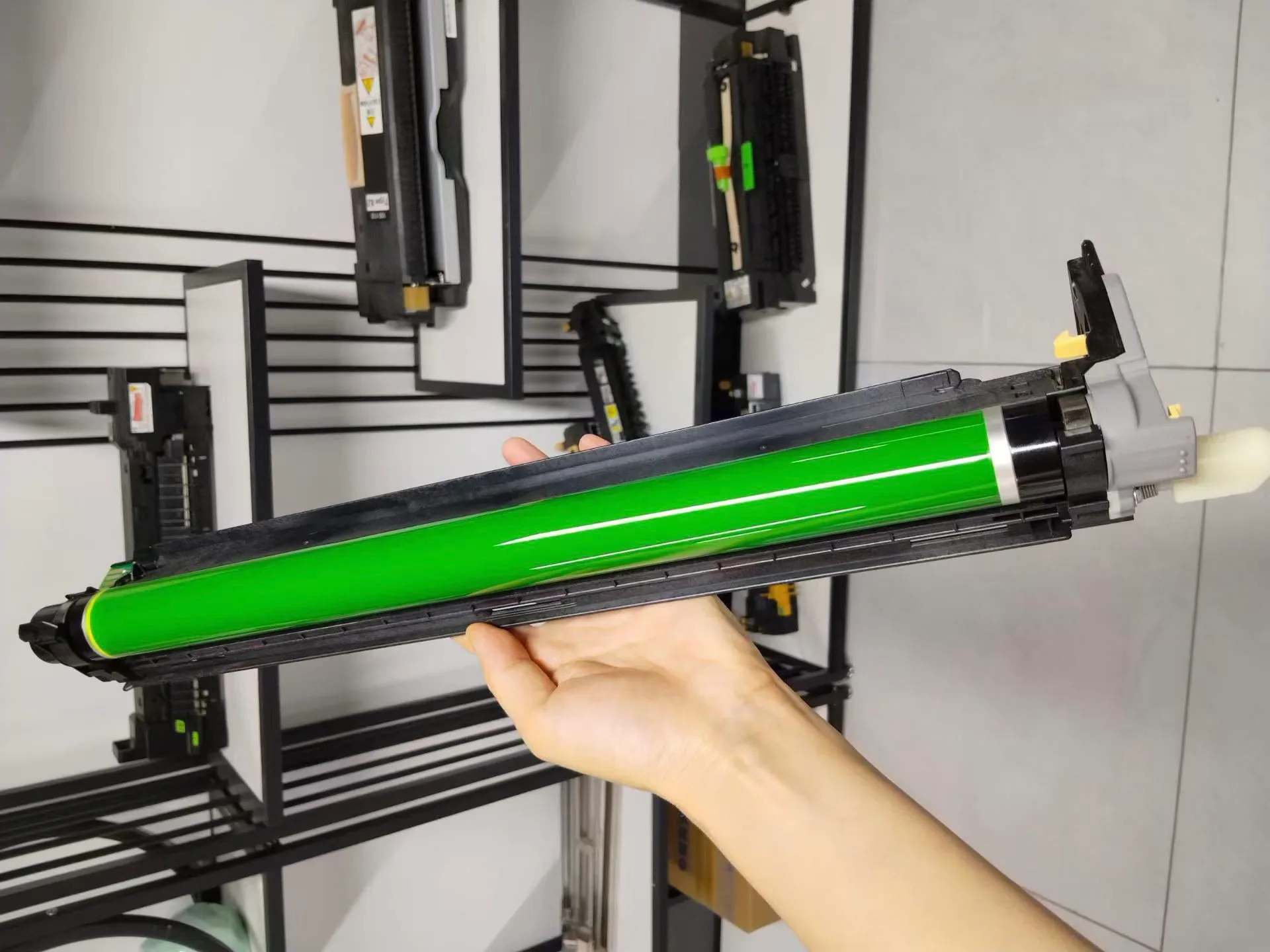
Ricoh print heads are the heart of many production copiers and MFPs—think the Ricoh Pro 8100 series or the MP C4504 series. When one fails, you’re not just swapping a part; you’re betting on uptime, print quality, and your customer’s patience. Getting the wrong head or a poorly remanufactured one can turn a quick fix into a service nightmare. Here’s what we’ve learned from years of matching Ricoh heads to actual machines, and how to source them without burning margin.
Know Your Exact Head Model and Firmware Version
Ricoh doesn’t label heads with the same part number across all regions. A head that fits a Ricoh Pro C5200 in Europe might carry a different code than one for a C5210 in Asia. Before you call a supplier, pull the part number from the machine’s service manual or the printhead itself. Look for the etched alphanumeric code—often starting with “D0” or “M0”—and cross-reference it with your machine’s firmware version. Ricoh updates firmware to adjust head firing waveforms; a head that’s electrically compatible may still underperform if the firmware expects a different revision.
We’ve seen buyers order a “Ricoh print head” based on the machine model alone, only to receive a unit that’s for a different sub-model. That’s a return, a restocking fee, and a week of downtime. If you’re unsure, send us the machine’s serial number and the head’s current part number—we’ll verify compatibility before you commit. That’s the kind of check that separates a parts dealer from a partner.
Page Yield: What the Spec Sheet Doesn’t Tell You
Ricoh rates print heads for a service life, but that rating assumes clean toner, proper fuser settings, and regular maintenance. In the field, page yield varies wildly. A head used with high-coverage graphics—like a print shop hammering out brochures—might need replacement at 300,000 prints, while a light office user could push it past 600,000. The real killer is contamination: paper dust, toner residue, and carrier fluid buildup clog nozzles and force premature replacement.
When you’re comparing heads, ask for the expected life in *pages at a defined coverage rate* (usually 5% per color). Some suppliers quote “up to” numbers that assume ideal conditions. We quote conservative ranges based on what our clients actually see. Also, factor in the cost of the head against the machine’s value. If you’re repairing a Ricoh MP C4504, a $400 head is a no-brainer. But on an older machine, consider whether the head cost is worth it versus a refurbished unit.
Inspect Before You Install: A Checklist That Saves Headaches
You can’t test a head without installing it, but you can catch red flags upfront. Here’s what we tell every buyer:
- Check the nozzle face for dried ink, scratches, or bent edges—damage here means poor jetting.
- Verify the flex cable and connector are clean, with no corrosion or bent pins.
- Confirm the head’s firmware revision (if printed) matches your machine’s requirements.
- Look for signs of remanufacturing—like re-sealed ink ports—which can affect reliability.
If you’re buying remanufactured heads, ask for a test print report and a warranty that covers nozzle failure within the first 30 days. That’s the minimum. A genuine OEM head will have a consistent part number and packaging, but it costs more. A high-quality compatible head—like ours—undergoes the same testing, but we price it for the aftermarket. The key is knowing the source. A head that’s been pulled from a low-hour machine and cleaned properly can be a steal, but one that’s been sitting on a shelf for two years with dried ink is a paperweight.
Where to Source: Factory-Direct vs. Middlemen
You have three main options: buy OEM from a local Ricoh dealer, buy from a parts broker, or go factory-direct. OEM is safest but priciest—often 30–50% more than compatible. Brokers offer convenience but you’re at the mercy of their inventory quality. Factory-direct, like CLONER, cuts out the middleman. We manufacture and test print heads for Ricoh and other brands, so you get a consistent product with a clear warranty and technical support that actually knows the part.
When you source factory-direct, you also get flexibility. Need heads with custom cable lengths or specific connector types for an OEM-ODM project? We can do that. Want to brand the heads with your own label? That’s a standard ODM service. For a B2B buyer, this is more than a price advantage—it’s a supply chain advantage. You’re not just buying a part; you’re building a relationship that lets you respond to your customers faster.
Build a Buffer, Not Just a Cart
Don’t wait until a head fails to order. Ricoh heads are high-turnover items; lead times from any supplier can stretch during peak seasons. We recommend keeping at least one head per popular model in stock if you service those machines regularly. That buffer costs you a few hundred dollars, but it turns a 3-day emergency into a same-day fix. And when you order from CLONER, we ship from our factory in China with DHL or FedEx, so you can get a head in 3–5 business days—even to remote locations.
We’ve built our business on helping buyers avoid the pain of wrong parts and inflated prices. If you’re sourcing Ricoh print heads, send us your part numbers and machine models. We’ll give you a straight answer on availability, yield expectations, and pricing that reflects the factory—not a broker. That’s the kind of sourcing tip that pays for itself on the first order.
Need a quote or samples from CLONER?
Factory-direct OEM/ODM supplier of compatible printer consumables & spare parts. Tell us your models — reply within 24h.