013R00687 Xerox VersaLink B7100 Drum Unit – High-Quality Imaging Cartridge
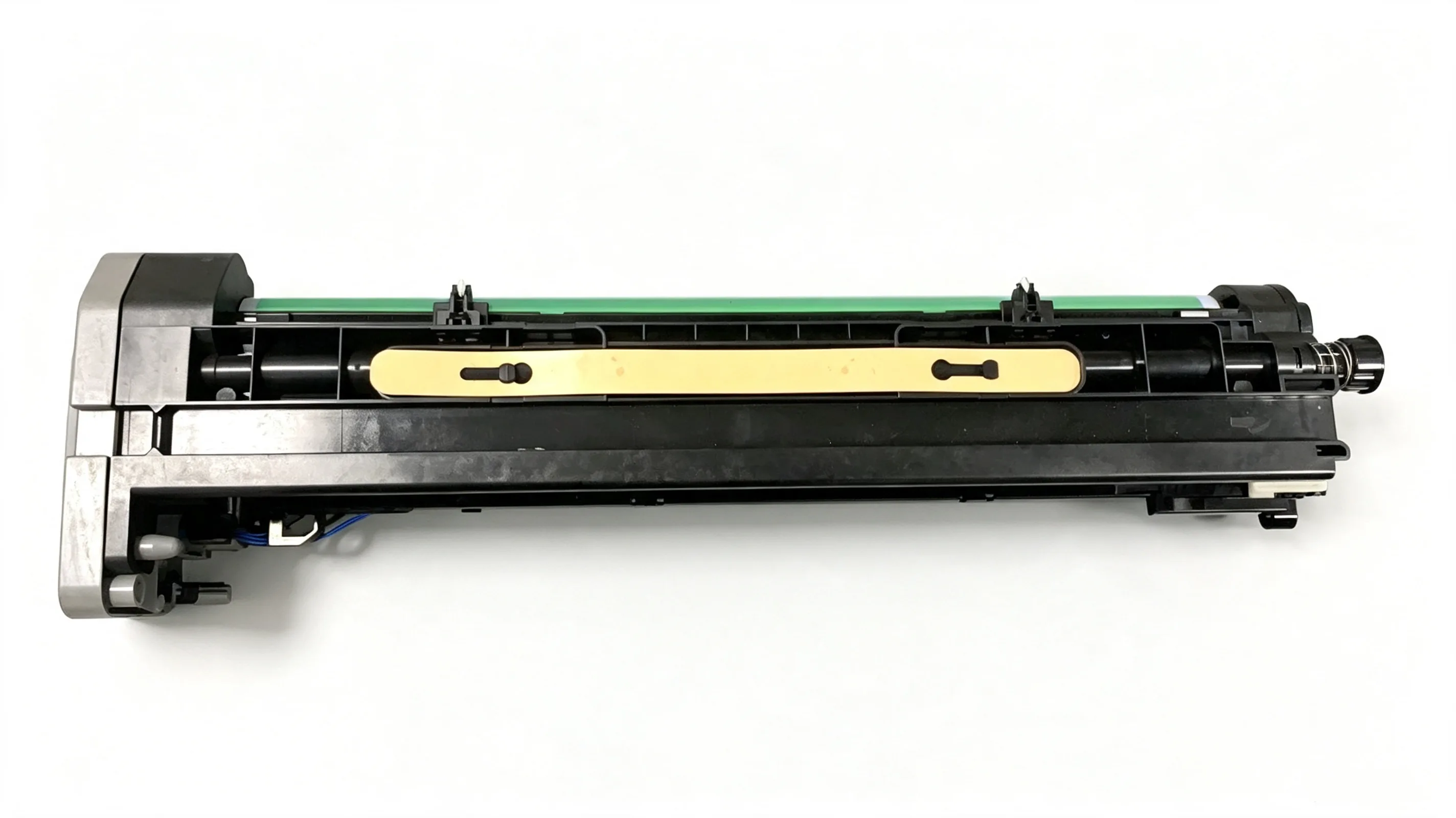
Overview of the 013R00687 Xerox VersaLink B7100 Drum Unit
The 013R00687 drum unit is a critical imaging component for the Xerox VersaLink B7100 printer. This OEM-compatible drum cartridge ensures crisp, high-resolution prints by transferring toner precisely onto paper. Designed for demanding office environments, it delivers consistent output and extended service life.
Using a premium Korean OPC (Organic Photoconductor), the drum unit offers superior durability and image quality. It directly replaces the original part, maintaining printer reliability and reducing downtime. For businesses that depend on the B7100 for high-volume printing, this drum unit is a cost-effective solution without compromising performance.
Key Specifications and Compatibility
This drum unit is specifically engineered for the Xerox VersaLink B7100. It is not compatible with other VersaLink models without verification. The original code 013R00687 ensures exact fit and function, eliminating guesswork during replacement.
Key features include:
- Korean OPC for long life and perfect print quality
- High-yield capacity for high-volume printing
- Easy installation with no special tools required
- Compatible with Xerox VersaLink B7100 only
Performance and Print Quality
The Korean OPC drum delivers sharp text and dense graphics, even at high speeds. Its photoconductive layer resists wear and degradation, ensuring consistent performance over thousands of pages. Users report minimal streaking or ghosting, even after extended use.
This drum unit also reduces total cost of ownership by maximizing page yield. In typical office environments, it can produce up to 100,000 pages before needing replacement. The robust construction minimizes waste and service interruptions, making it ideal for busy workgroups.
Installation and Maintenance Tips
Replacing the drum unit is straightforward. Power off the printer, open the front cover, and remove the old drum. Insert the new 013R00687 unit, close the cover, and run a calibration cycle if prompted. Always store spare drums in a cool, dry place away from direct light to preserve the OPC.
For best results, use genuine Xerox toner and follow the printer's maintenance schedule. Regular cleaning of the transfer roller and fuser can extend drum life. If print quality degrades prematurely, check for foreign objects or damage to the drum surface.