How to Check Toshiba Developer Unit Quality Before You Buy: A Buyer's Inspection Guide
You have probably seen it: a pallet of Toshiba developer units that look fine in the box, but after 30k prints the copies go light on one side or start throwing C380/C390 codes. By then the container is gone and the supplier stops answering emails. The difference between a unit that runs 200k pages and one that dies at 40k is rarely visible from the outside — it is in the sleeve tolerance, the doctor blade gap, and the toner seal. Here is what to check before you pay.
Know Which Toshiba Developer Unit You Are Actually Buying
Toshiba e-STUDIO machines use different developer units across generations, and mixing them up is the fastest way to get a bad batch. The e-STUDIO 2500c/3500c/3510c series uses the D-2505 developer unit, while the 4505c/5505c/6505c/7505c/8505c line takes the D-4505. Older mono workhorses like the e-STUDIO 255/305/355/455 use the D-2550, and the 256/306/356/456 use the D-2560. If a supplier quotes you one part number for all of these, walk away.
Ask for the exact Toshiba part number and the machine models it fits. A legitimate factory will have this on the label and in the packing list. Counterfeit or refurbished units often carry a generic sticker with no model cross-reference. Also confirm whether the unit includes the developer powder pre-loaded. Some suppliers ship the unit dry and expect you to fill it — that is fine for repair shops, but a problem for distributors who resell sealed boxes.
Inspect the Magnetic Sleeve and Doctor Blade
The magnetic sleeve is where cheap units cut corners. Run your fingernail across the surface — it should be smooth with no visible grooves or pitting. A worn sleeve will not hold the developer bead evenly, and you will see streaking on the first test print. Check the sleeve rotation by hand: it should turn freely without wobble. If there is side-to-side play, the bushings are undersized and the unit will leak developer within a few thousand pages.
The doctor blade gap is the other critical measurement. On Toshiba units, this is typically set between 0.35 and 0.45 mm depending on the model. Too wide and you get heavy background; too narrow and the developer starves, causing light images. You cannot check this with a ruler — you need a feeler gauge. If you are buying in volume, ask the factory for a batch inspection report showing blade gap measurements. CLONER keeps these records for every production lot, and we will send them with the PI if you ask.
Check the Toner Seal and Developer Powder
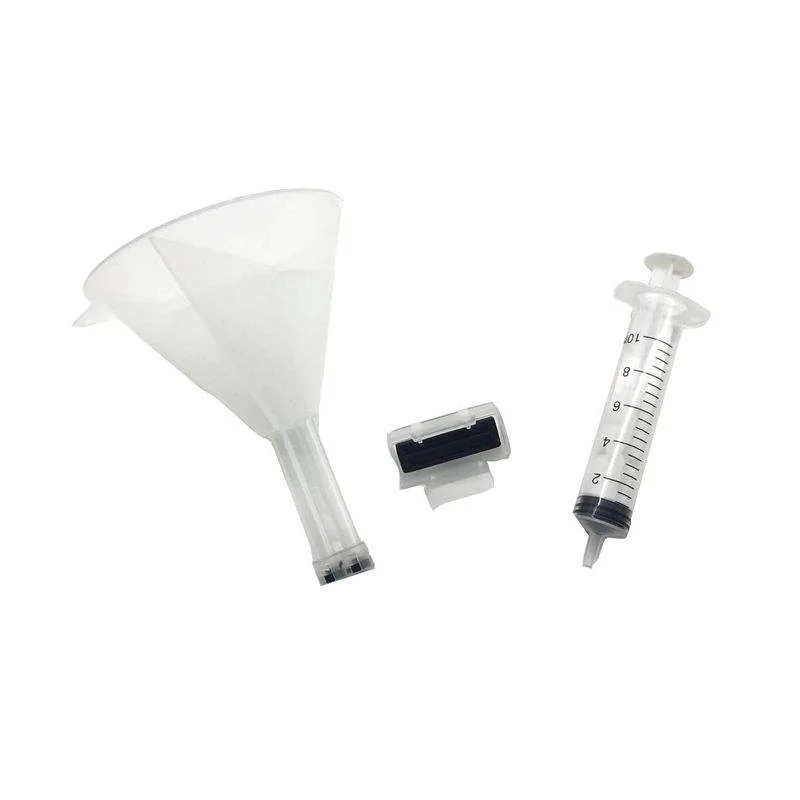
The toner seal is a small plastic strip that keeps developer from spilling during shipping. On genuine Toshiba units, it is heat-sealed and pulls out cleanly in one piece. On cheap copies, it is often glued with low-grade adhesive that leaves residue on the sleeve or tears halfway, dumping developer into the machine. Pull the seal on one sample unit before you accept the shipment. If it leaves sticky residue, reject the batch.
Developer powder quality matters just as much. Good developer is a coated ferrite carrier with a specific triboelectric charge. Cheap powder uses recycled or uncoated carrier that will not hold charge, and you will see faded prints within 10k pages. Ask the supplier whether the developer is new or reclaimed. If they hesitate, assume reclaimed. For OEM/ODM orders, CLONER uses fresh carrier from established Japanese and Korean suppliers, and we can provide the material certificate on request.
Run a Test Print and Check the Error Log
Never buy a Toshiba developer unit without a test print. Install it in a machine, run 50–100 pages of a 50% halftone pattern, and check for even density across the page. Look for banding, light edges, or background scatter. Then run a solid black page and a solid white page. Any ghosting or carryover means the unit is not sealing properly.
After the test, pull the error log. Toshiba machines store codes like C380 (developer unit abnormality) and C390 (toner density sensor error). A unit that throws these codes during the first 100 pages will not improve. If you are buying from overseas, ask the supplier to send a video of the test print and the error log screen. This is standard practice for serious factories. If they refuse, that tells you something.
- Confirm exact Toshiba part number and machine compatibility.
- Check magnetic sleeve for grooves, wobble, and free rotation.
- Verify doctor blade gap with a feeler gauge (0.35–0.45 mm).
- Pull the toner seal on a sample — it should come out clean.
- Run a 100-page test print and check the error log for C380/C390.
What to Ask Before You Place the Order
Price is not the only number that matters. Ask about the warranty period and what it covers. A 6-month warranty on the unit is standard for quality aftermarket parts; 12 months is better. Ask whether the supplier will replace defective units in the next order or issue a credit. Get this in writing on the PI.
For importers and distributors, packaging matters too. Toshiba developer units should ship in individual anti-static bags with foam padding, not loose in a carton. If you are ordering OEM/ODM with your own brand, confirm that the factory can print your logo on the box and label. CLONER runs both direct factory supply and OEM/ODM lines for Toshiba developer units, so you can order neutral boxes or your own branding without a minimum order quantity that locks up your cash. Send us the model list and we will quote you the real factory price — not a trading company markup.