Buying Boards for OKI Copiers: A Field Guide for Repair Shops
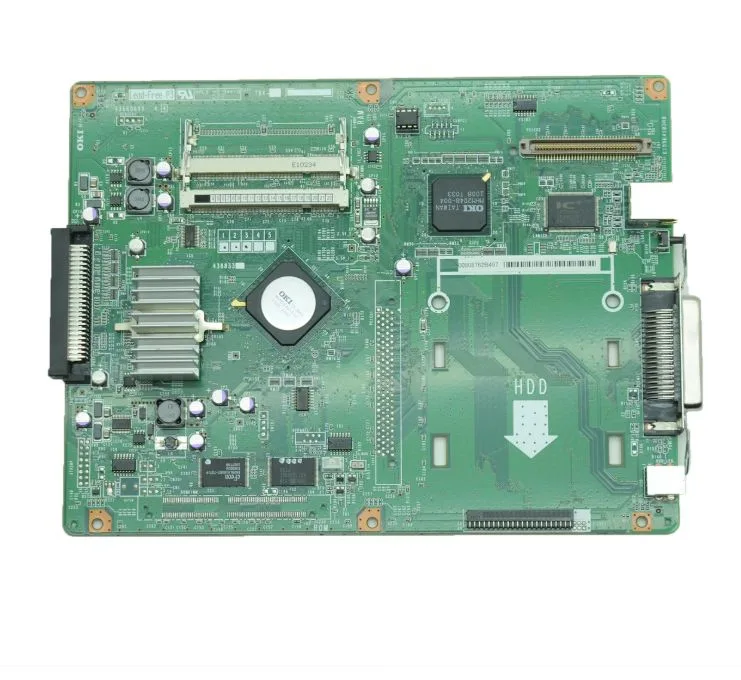
OKI control boards are a quiet profit centre for repair shops — and a quiet liability if you buy the wrong revision. The C300/C500 series, MC332/MC342, C823/C833 and the older C9000-family boxes all share a frustrating trait: OKI changed board revisions and firmware pairings mid-production without changing the outer part label often enough. Buy a board that matches the model but not the engine or firmware branch and you get a machine that boots, prints a config page, then throws a 370 or 391 error the moment a job hits the fuser. This guide covers what actually fails, how to inspect a board before it goes into stock, and how to source so you stop eating return freight.
What Actually Fails on OKI Boards
The failure pattern differs by board type. On the main controller (formatter) boards for C300/C500 and MC332/MC342, the most common field failure is the onboard SDRAM or the flash device losing its boot image after a power event or a failed firmware update — the machine hangs at "Initialising" or shows a blank display with the LED lit. On the engine/PSE boards for C800/C810/C830, it is usually the high-voltage supply section or the fuser-control switching that goes, showing up as repeated fuser errors, skewed density or a 391/392 code that persists after a known-good fuser swap.
Power supply boards fail with age, not mileage. Electrolytic caps on the 5V and 24V rails dry out, and you see intermittent boot loops that vanish when the machine warms up. If a customer reports "works in the morning, dead by afternoon," suspect the PSU before the formatter. Knowing which board class you are replacing saves you from buying a controller when the fault is upstream.
Boards pulled from scrapped machines are the bulk of the aftermarket, and that is fine — if you know the donor's history. A formatter pulled from a machine that died of a toner-dump fault is usually clean; one pulled from a lightning-strike site is not. Ask your supplier how boards are tested and whether they are bench-run in a chassis or just power-checked on a jig.
Part Numbers, Revisions and Firmware Matching
OKI part numbers are necessary but not sufficient. The same base number can carry a suffix that denotes a regional firmware branch (Europe, Americas, Asia-Pacific), and a board flashed for the wrong region will reject the customer's language pack or refuse network firmware updates. For the C300/C500 family, confirm the board revision letter and the firmware level the board is flashed to before it ships. If you are fitting a board into a fleet that is pinned to an older firmware for driver compatibility, a board flashed to the latest release can force a fleet-wide update you did not plan for.
Keep a cross-reference sheet in your shop. List model, engine type, board part number, revision and firmware level for every board you stock. When a job comes in, match against the sheet, not against what the customer says the model is — customers routinely misreport the suffix on the front panel. For MC-series multifunction boxes, the scanner and printer controllers are separate boards; confirm which one the error code actually points to before ordering.
Bench Inspection Before It Enters Stock
Every board that arrives should get a five-minute bench check before it goes on the shelf. Skipping this is how a bad board ends up in a customer machine three weeks later and you eat the labour twice. A disciplined bench routine catches the majority of defects before they reach a customer site.
- Visual: look for bulged or leaked caps, scorched HV traces, reflowed solder around the SDRAM and any signs of prior rework.
- Power rails: confirm 5V and 24V under a light load, not open-circuit.
- Boot test: fit in a known-good chassis of the same model and confirm it reaches ready and prints a config page.
- Firmware check: read the level and confirm it matches the region and revision you ordered.
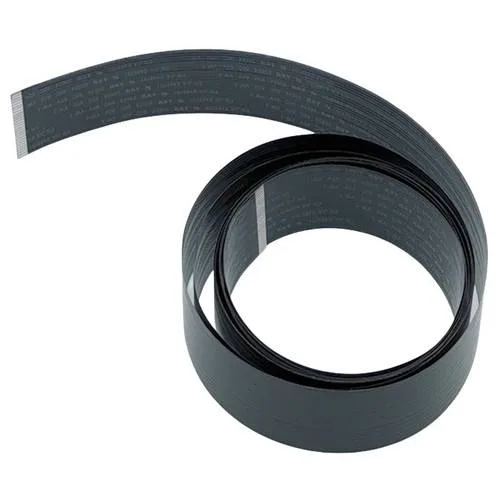
- Connector condition: inspect FFC/FPC latches and pin headers for bent pins — the most common cause of a "dead" board that is actually a bad connection.
Log the result against the part number. A shop that tracks bench failures by supplier quickly learns whose boards come back and whose do not.
Sourcing: New, Pulled or Factory-Direct
Pulled boards are cheap and fine for low-volume, low-criticality repairs, but the margin disappears the first time one fails in the field and you pay return freight plus a second site visit. New factory-direct boards cost more up front and less over a quarter. For shops running service contracts, the maths favours new stock on the high-failure board classes — formatters and PSUs — and pulled stock on the slow movers.
When you buy OEM/ODM from a factory, ask for the test protocol, not just the price. A supplier who can tell you the board is functionally tested in a chassis, flashed to a stated firmware level and packed with ESD-safe trays is a different supplier from one who ships loose boards in bubble wrap. Request a sample order first and bench-test it against your own chassis before committing to volume. Confirm the warranty terms in writing, including who pays return freight on a confirmed DOA.
CLONER manufactures OKI-compatible boards and consumables factory-direct, with OEM/ODM options for shops and distributors who want their own labelling and firmware configuration. Boards ship chassis-tested and flashed to the region and revision you specify, in ESD-safe packaging, with sample orders available before you commit to volume. Send your model list and firmware requirements and we will match the board class, revision and flash level to your fleet.
Need a quote or samples from CLONER?
Factory-direct OEM/ODM supplier of compatible printer consumables & spare parts. Tell us your models — reply within 24h.