OEM vs Compatible LED Unit for Ricoh: What Distributors Should Know
If you distribute Ricoh imaging parts, the LED unit is one of those components that can quietly eat your profit—or build your reputation. OEM Ricoh LED units are reliable but pricey; compatible units vary wildly from junk to genuinely good. The difference often isn't the LED chip itself, but the driver board, heat management, and how the unit communicates with the Ricoh engine. Get it wrong and you'll see ghosting, banding, or units that die at 30% life. Here's what experienced distributors check before committing to a source.
What's Actually Inside a Ricoh LED Unit
Ricoh uses LED array exposure in many of its MFPs—think Ricoh MP C4504, C5504, and the Pro C series. The unit contains an LED bar, a rod lens array (SLA), and a driver PCB. The SLA focuses light onto the OPC drum; any misalignment or contamination there shows up as streaks. The driver board converts image data from the engine into timed pulses for each LED. OEM units use a proprietary ASIC that handles this conversion with specific timing parameters. Compatible units often use a generic FPGA or microcontroller, which can work—but only if the firmware is properly cloned.
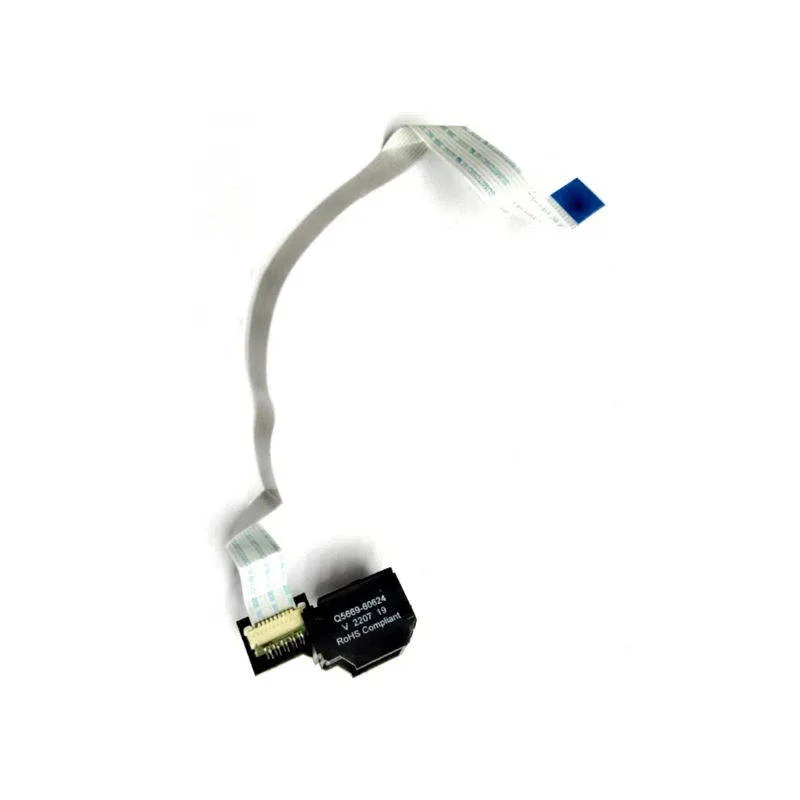
The key failure points are thermal stress and connector fatigue. Ricoh units run warm, and the LED bar's output degrades if the heat sink is inadequate. Also, the flat flexible cable (FFC) that connects the driver board to the LED bar is fragile; poor handling during assembly is a leading cause of early failure. When you're inspecting a compatible unit, ask about the FFC quality and whether the heat sink is machined or stamped. These details separate a 300K-page unit from a 50K-page one.
Cost, Margin, and the Hidden Cost of Callbacks
OEM Ricoh LED units can run $200–$400 depending on model. Compatible units typically cost 30–50% less. That's attractive margin, but a failed unit means a service call, part replacement, and a potentially angry end user. If you're selling to copier repair shops, their labor rate is $80–$120 per hour. A callback eats your margin fast. In my experience, the break-even point is around a 5% failure rate. If your compatible source has more than that, you're losing money even at a 50% discount.
But not all compatible units are equal. Some factories use actual Ricoh refurbished LED bars with new driver boards. Others use brand-new LEDs from reputable makers like Nichia or Rohm. The best compatible units often use the same LED chip supplier as Ricoh, just with a different driver. You can't always tell from the outside—so you need a supplier who's transparent about their BOM. Ask for the LED brand and the driver IC. If they hesitate, walk away.
Inspection Checklist for Incoming Units
Before you commit to a large order, get samples and run them through a few simple tests. Here's what I tell my clients:
- Check the FFC for kinks or creases—any damage here is a red flag.
- Run a solid black print and look for vertical lines or light bands—that indicates SLA or LED issues.
- Test at 10% and 90% toner coverage to see if the unit maintains consistent exposure.
- Measure the unit's temperature after a 100-page run—if it's over 60°C, the heat sink is undersized.
- Inspect the connector pins for proper plating—gold-plated pins resist corrosion better.
These tests take an hour and can save you from a costly batch. Also, check the unit's firmware version. Ricoh occasionally updates engine firmware, and older compatible units may not be compatible with the latest Ricoh firmware. A good supplier will track Ricoh's firmware releases and provide updated units.
Why Factory-Direct Matters for LED Units
LED units are not like toner cartridges—they require precision assembly and cleanroom conditions. A factory that also makes OEM parts for other brands often has the right equipment. But there's a bigger issue: traceability. If a batch of LED units fails, you need to know which components were used and when. A factory-direct partner like CLONER gives you that visibility. We control the entire production chain, from sourcing LEDs to final testing. That means we can adjust the BOM if a supplier changes, and we can provide lot-level documentation.
For distributors, this also means faster turnaround on custom orders. If you need a specific Ricoh model covered, a factory with in-house engineering can adapt an existing design rather than starting from scratch. That's the OEM/ODM advantage. We're not just boxing generic units; we can build to your specs—whether that's a specific connector orientation or a reinforced FFC for high-volume machines.
Selecting a Compatible LED Unit Supplier
When you're evaluating a supplier, don't just ask for a price list. Ask for their failure rate data and their warranty terms. A good supplier will offer a 12-month warranty and a 2% advance replacement rate. Also, check their testing equipment—do they have a Ricoh MFP on site for real-world testing, or just a bench tester? Real-world testing catches issues that bench tests miss, like timing glitches under load.
Also consider the supplier's experience with Ricoh specifically. Ricoh's LED units have unique quirks—like the need for a specific white calibration strip on the SLA. A supplier who's been making these for years will know these details. CLONER has been producing Ricoh-compatible LED units for over a decade, and we've refined our designs based on field feedback from distributors across Europe and Asia. That's why we can offer a 1% failure rate guarantee on our Ricoh LED units—something most compatible brands can't match.
Finally, think about logistics. LED units are sensitive to static and moisture. They should be shipped in anti-static bags with desiccant. A factory-direct partner can ensure proper packaging and can consolidate with other Ricoh parts to save on freight. That's the kind of practical advantage that adds up over a year.
Need a quote or samples from CLONER?
Factory-direct OEM/ODM supplier of compatible printer consumables & spare parts. Tell us your models — reply within 24h.