OEM vs Compatible Upper Fuser Roller for Ricoh: A Distributor's Buying Guide
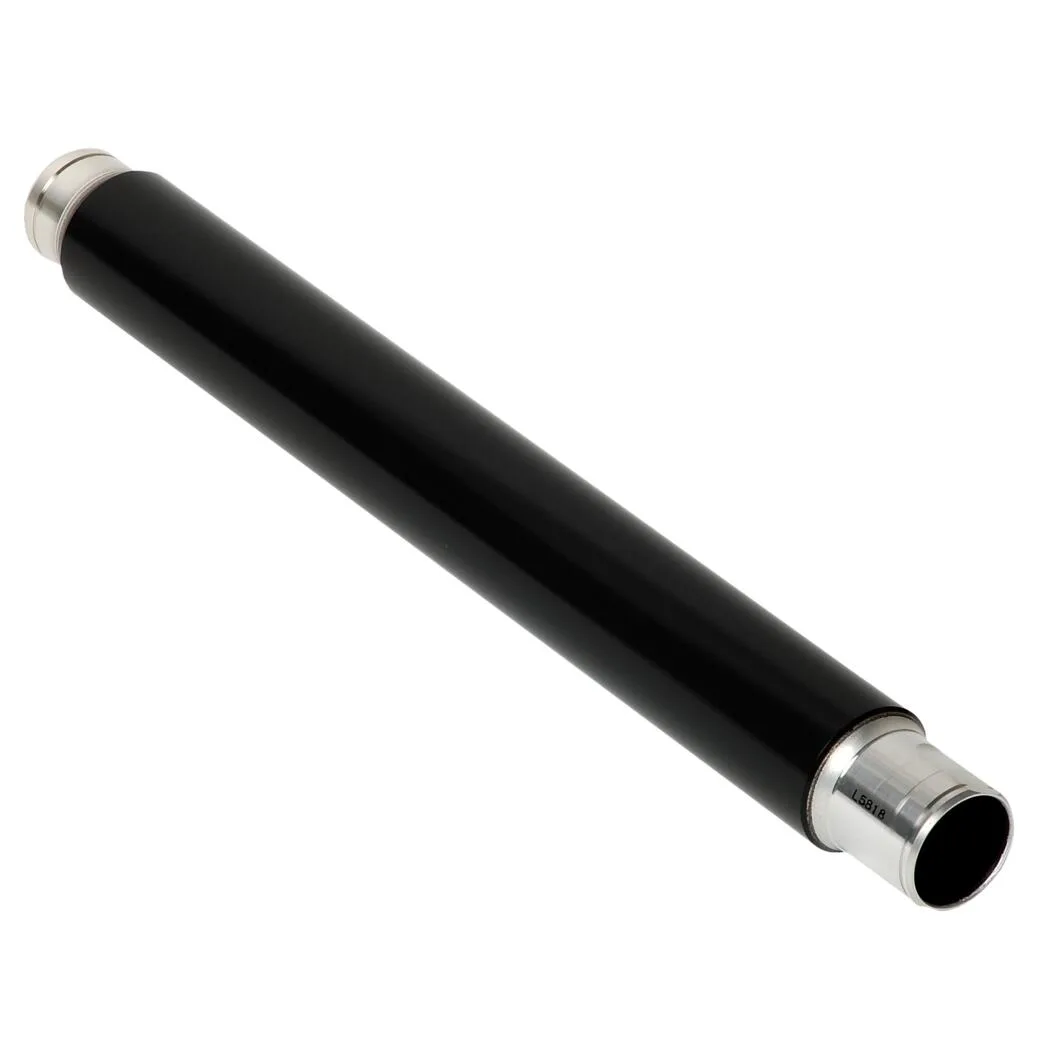
Every distributor who stocks Ricoh consumables eventually faces the same question from a repair-shop customer: “Is this roller OEM or compatible, and does it matter?” The honest answer depends on which Ricoh family you're supporting and how the roller was built. A compatible upper fuser roller that meets OEM coating thickness and hardness tolerances will run clean for 150,000–200,000 pages on an MP C3004. A cheap one will gloss, offset, and wrap paper inside 20,000—and you'll wear the returns. The gap between those two outcomes is manufacturing discipline, not the OEM badge.
Why the Ricoh upper fuser roller is a margin battleground
Ricoh's fuser architecture across the IM C series, MP C series, and older Aficio lines puts the upper roller in direct contact with the toner image under heat and pressure. That means the roller's PTFE or PFA top coat, the silicone base layer beneath it, and the aluminium core's concentricity all have to hold spec together. OEM rollers arrive with tight tolerances because Ricoh controls the whole stack—core machining, elastomer cure, coating sinter, and end-cap bonding. That control is real, and it's why the OEM part number (look at D149-4025 or D0BQ-4025 for reference) carries a price that can be three to five times a compatible.
For distributors, the OEM line is a service commitment: you stock it for customers who run machines under service contracts where any downtime is billable to them. The compatible line is where your margin lives—but only if you can verify what you're buying. The failure mode that hurts most isn't a roller that arrives obviously wrong. It's a roller that looks right, installs clean, and starts leaving gloss bands or silicone oil streaks at 30,000 pages, after your customer has already sold it as a quality part.
What actually separates a good compatible from a bad one
Strip the marketing and four things decide whether a compatible Ricoh upper fuser roller survives. Coating thickness and cure: too thin and the roller scratches through to the silicone within a few thousand pages; under-cured and it releases toner poorly, causing offset onto the pressure roller. Surface hardness: Ricoh specs sit in a narrow Shore A band, and a roller that's too soft will flatten at the nip and produce paper curl or jams on the C3004/C3504 family. Core concentricity and end-cap bonding: a core that's out of round by even a few hundredths of a millimetre will cause uneven nip pressure and visible banding. And thermistor compatibility—the roller's surface finish has to let the machine's thermistor read temperature accurately, or you'll get fuser error codes that send the technician back to the customer site.
Ask any supplier for the coating material spec, the hardness range, and the core tolerance. A factory that actually manufactures the roller will answer in numbers. A trading company will answer in adjectives. That single exchange tells you more than any sample photo.
Inspection points before you accept a shipment
When a pallet of compatible Ricoh rollers lands, don't just spot-check the box. Pull three units from different cartons and run a visual and dimensional check. Look for coating voids, bubbles, or a visible seam line—any of these means the sinter process was rushed. Check the end caps for flush seating and clean adhesive squeeze-out; a cap that sits proud will rub the fuser frame. Measure the outer diameter at three points along the length with a micrometer; variance beyond 0.05 mm is a reject. Then check the gear or coupling for moulding flash that would bind in the drive.
If you have a test bench or a cooperative repair shop, run one roller through a full fuser cycle and inspect for even gloss across the page width. Uneven gloss is the earliest sign of a bad nip. Keep a log of batch numbers against these results—when a customer reports a failure, you'll want to know whether it's an isolated unit or a whole lot, and a supplier who tracks batch traceability will make that conversation short.
Matching the roller to the Ricoh family you actually sell
Ricoh's roller part numbers don't cross families cleanly, and a compatible that claims to fit “MP C3003/C3503/C4503/C5503” in one SKU deserves scrutiny. The C3003 and C3503 share a fuser assembly; the C4503 and C5503 use a different roller with a different diameter and coating spec. A one-size-fits-all compatible is usually a compromise that fits the smallest machine and underperforms on the larger ones. Stock by family, and label your bins by part number, not by marketing name.
For high-volume distributors, the practical split is OEM for contract-service customers running the newest IM series, and a verified compatible for the installed base of MP C and Aficio machines where the customer is price-sensitive and the machine is out of warranty. That's not a compromise—it's segmenting your catalogue the way your customers segment theirs.
Where CLONER fits your Ricoh roller programme
CLONER manufactures upper fuser rollers in-house, which means we can quote you the coating spec, hardness range, and core tolerance rather than describing them. For distributors who want their own brand on the box, our OEM/ODM line covers private-label packaging, custom part numbering, and batch traceability from the factory floor. We run Ricoh-compatible rollers across the MP C and IM families and can supply matched samples for your test bench before you commit to a container. If you're building a compatible tier that holds up next to OEM, send us the part numbers you move most and we'll come back with specs, samples, and factory-direct pricing.
Need a quote or samples from CLONER?
Factory-direct OEM/ODM supplier of compatible printer consumables & spare parts. Tell us your models — reply within 24h.