Remanufactured Brother Copier Boards: A Repair Shop Buying Guide
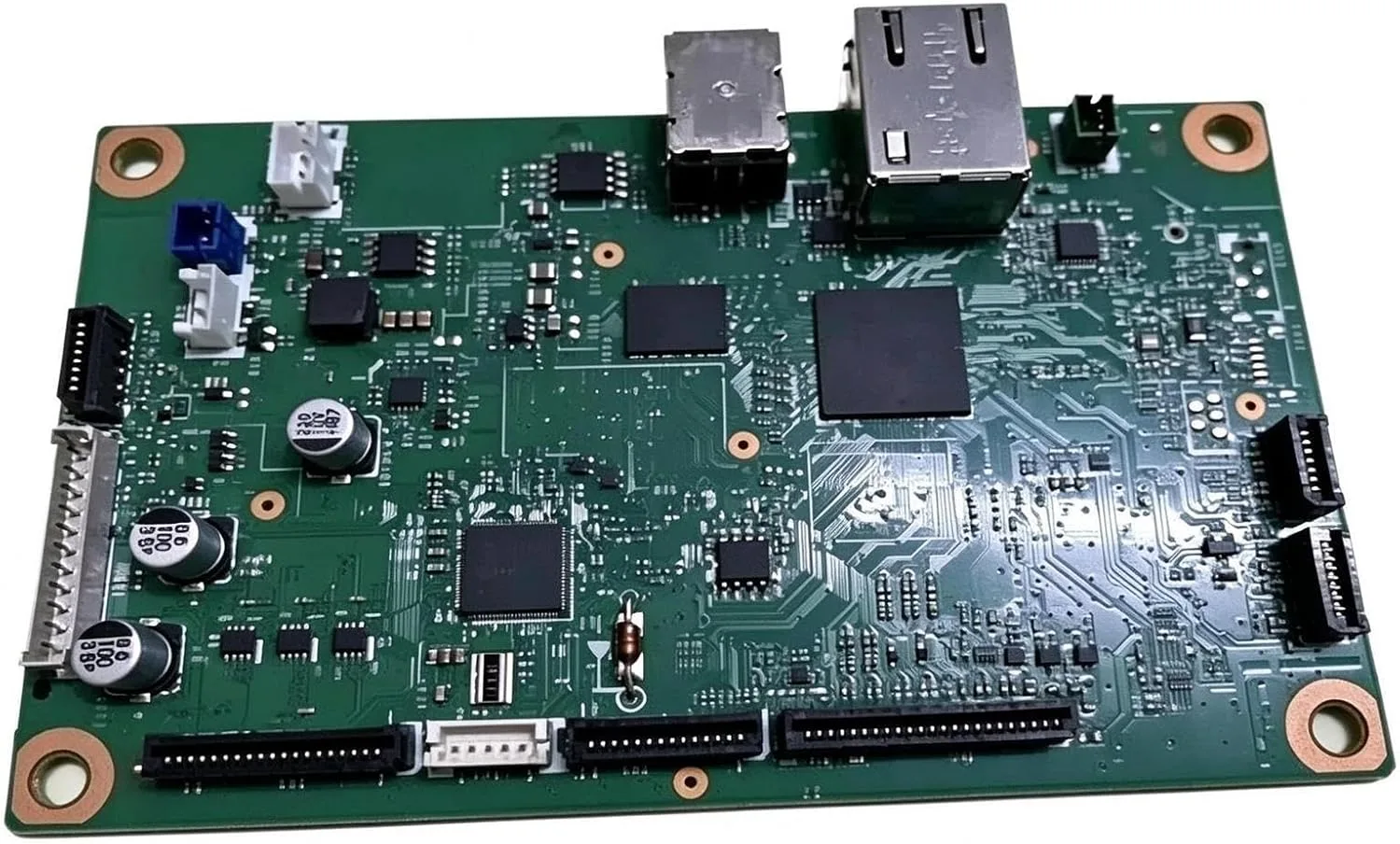
Brother machines keep repair shops profitable because millions are in the field, but the control board is where many jobs stall. A dead MFC-L6900DW or a DCP-L5500 that boots to a blank panel is rarely worth an OEM board at list price—the margin disappears. Remanufactured boards fill that gap, but the quality spread between suppliers is enormous. What you buy from one vendor can be a properly reflowed, firmware-flashed board; from another, a pulled core with a half-cleaned connector. This guide helps you tell them apart before you fit one and eat a callback.
Why Brother boards fail—and what a good reman buys you
Brother control boards in monochrome laser families (HL-L5000/L6000 series, DCP-L5500/L6600, MFC-L5700/L6700/L6900) fail in predictable ways. The most common is a power-rail fault: a shorted regulator or blown component on the 3.3V or 24V side after a surge, a bad fuser, or a jammed solenoid that drew too much current. You also see corrupted EEPROMs after a failed firmware update, dead network modules on LAN variants, and cold solder joints on the connector side after years of thermal cycling. The worst kind boots and prints but drops network every few hours—it passes a quick bench test and fails in the customer's office.
A proper remanufactured board addresses all of that. The core is stripped, cleaned in an ultrasonic bath, and every electrolytic cap on the power side is replaced—not just the visibly bulged ones. Regulators, fuses, and any component that took heat get swapped for new stock. Then the board is flashed with the correct firmware for the model and region and bench-tested under load, not just powered on. That last step is where cheap suppliers cut corners, and it is exactly where your callback rate lives.
Ask any supplier what their burn-in actually is. A five-second power-on is not a test. A 30-minute print cycle with a network ping running alongside it is.
Inspection points when a board lands on your bench
Before you fit a remanufactured Brother board, spend three minutes on it. Look at the solder side under a lamp: fresh reflow should be shiny and even around replaced components, not dull or grainy. Check connector headers for bent pins and corrosion in ribbon sockets—Brother uses fine-pitch FFC connectors that hide green fuzz well. Sniff the board; a lingering burnt smell means it ran hot and wasn't properly cleaned. Look at mounting holes for cracked traces around the screws, a classic sign of a board pulled from a machine that took a drop.
Then verify the firmware. Brother boards are model- and region-specific, and a board flashed for the wrong variant can print but refuse to duplex, or throw a toner-related error that makes no sense. Confirm the part number against the machine's service manual and check the version string in maintenance mode before you commit the machine to a customer. On network models, plug into a switch and confirm the NIC link light and a DHCP lease. If the board has a coin cell or socketed EEPROM, check it seats firmly.
Match the board to the sub-variant. Brother ships several board revisions within a single model family, and a board from an early HL-L5100 does not always drop cleanly into a late-production unit. Cross-reference the board's own part number, not just the machine model.
What to look for in a supplier—and the terms that matter
Reman board quality tracks directly to the supplier's process discipline. Ask whether cores are functionally tested before rebuild or just visually graded, whether caps are replaced as a set or on failure, and whether every board gets a load test. A supplier who can answer those questions with specifics—cap brands, test duration, firmware source—is usually running a real line. One who answers vaguely is repackaging pulls.
Commercial terms matter as much as the hardware. Core exchange and core credit policies decide your true cost per board, so get the core return window and credit schedule in writing. Warranty length is less important than what the warranty covers: a 12-month warranty that excludes surge damage is worth little on a machine that failed from a surge in the first place. Ask about DOA handling—a supplier who ships a replacement before the return lands keeps your bench moving.
- Confirm the board part number and firmware variant before ordering.
- Check core credit window and DOA replacement terms.
- Request the burn-in test spec in writing.
- Verify warranty covers power-rail and network faults.
- Match board revision to the machine's production sub-variant.
Bench workflow that keeps callbacks down
Fit the board, then run a full self-test and a duplex print before the machine leaves your shop. Print a status page and check counters and error log—a reman board that arrives with a fault history already logged is a red flag. Run the network model through a ping loop for ten minutes while it prints. If it survives that, it will usually survive the customer.
Keep a small stock of the highest-turnover Brother boards rather than ordering one at a time. The HL-L5000/L6000 and MFC-L5700/L6700 boards cover a huge share of the monochrome fleet, and having two on the shelf turns a two-day repair into a same-day one. Track which board revisions fail most in your area—surge-prone sites will keep eating power rails, and that tells you what to stock.
CLONER builds remanufactured and OEM/ODM copier boards factory-direct, including Brother control boards rebuilt to spec with replaced power components, correct firmware flashing, and load-tested burn-in before they ship. For importers and repair chains, that means consistent batches, core-exchange terms you can plan around, and ODM options if you want boards branded or configured for your own programme. Send us your Brother board part numbers and volumes and we will quote against your current cost.
Need a quote or samples from CLONER?
Factory-direct OEM/ODM supplier of compatible printer consumables & spare parts. Tell us your models — reply within 24h.