How to Check the Quality of Drum Units for Brother Copiers Before You Buy
If you're sourcing drum units for Brother copiers, you already know the pain of a bad batch: streaky prints, premature wear, or a drum that fails after 2,000 pages instead of 20,000. The difference between a reliable aftermarket drum and a cheap knockoff isn't always visible at first glance, but it's there in the materials and manufacturing tolerances. Here's what to inspect before you commit your money.
Start with the OPC Coating and Surface Finish
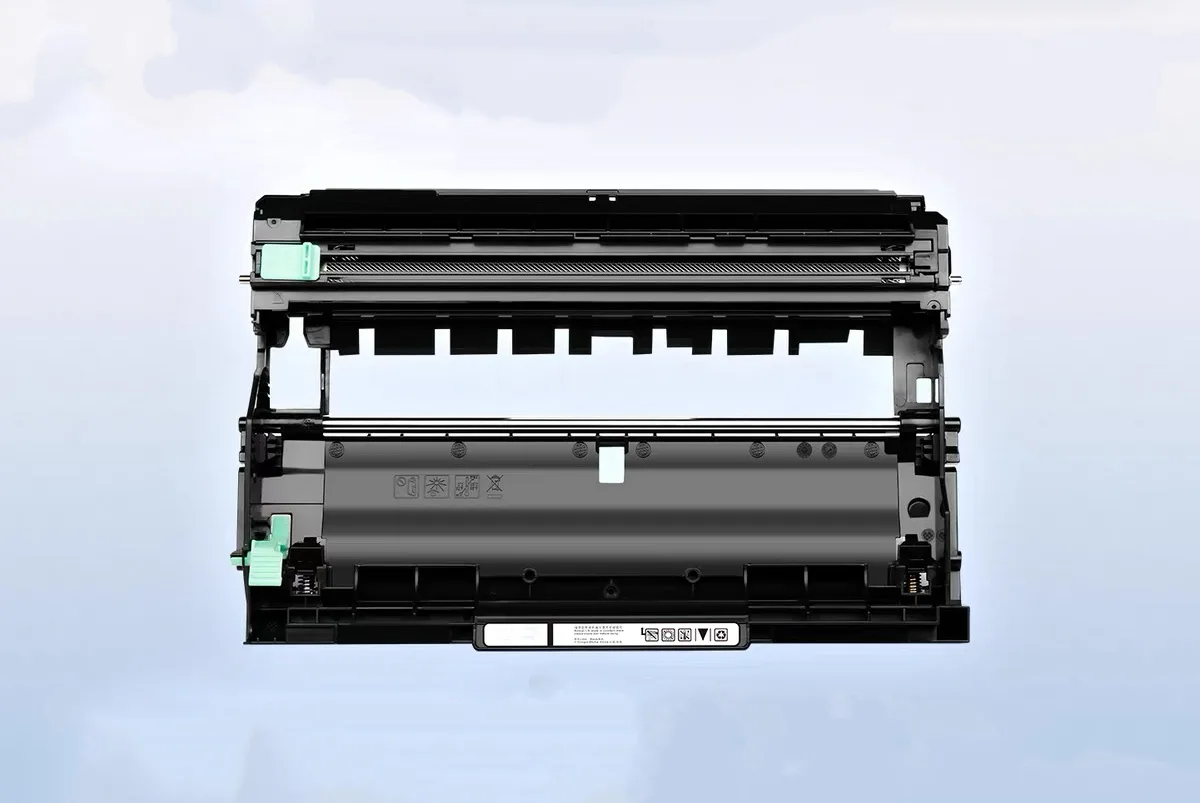
The organic photoconductor (OPC) coating is the heart of any drum unit. On genuine Brother units—like those used in the HL-L5000D, HL-L5100DN, or MFC-L5700DW—the coating is uniform, with a smooth, glossy finish that reflects light evenly. When you hold a drum under a bright lamp, look for any streaks, dull spots, or color variations. These indicate poor coating thickness or contamination during manufacturing, which will translate into faded prints or ghosting from day one.
Another quick check: run a fingernail lightly across the surface (do this only on a sample you plan to discard). A quality OPC layer should feel hard and slick. If it scratches easily or leaves a visible mark, the coating is too soft and will wear out fast, especially with high-page-count Brother models that use a dual-component developer system. Ask your supplier for the coating thickness spec—typically 20–30 microns for Brother-compatible drums. If they can't provide it, that's a red flag.
Inspect the Drum Flange and Gears for Tolerance
Brother drum units are driven by a gear train that meshes with the copier's main drive. The plastic gears and flanges on the ends of the drum must fit precisely. On OEM units, the gears have a tight, wobble-free rotation. When you spin a drum by hand, it should turn smoothly with no clicking or resistance. Any uneven movement suggests poor injection molding—flash or warpage—which will cause torque fluctuations, leading to banding or irregular print density.
Also, check the drive-side flange (the one with the coupling) for burrs or rough edges. These can damage the copier's drive gear over time, and that's a service call you'll end up paying for. A reputable supplier like CLONER will tell you the gear material—usually POM or nylon—and the dimensional tolerances they hold. If the drum doesn't fit snugly into the copier's cartridge slot without forcing, reject the batch.
Verify the Wiper Blade and Cleaning Mechanism
The wiper blade is a common failure point in Brother drum units, especially in copiers that run high volumes like the DCP-L5500DN or MFC-L6900DW. A quality blade is made of polyurethane with a precise edge—no nicks, no curling. When you remove the drum from its protective bag, check that the blade edge is straight and sits flush against the drum surface. If you see any gap or uneven pressure, toner will pass through, causing backgrounding or smudging.
Good drums also have a lubricant applied to the blade edge to reduce friction and extend its life. Some aftermarket manufacturers skip this to save cost. Ask your supplier if their drums are pre-lubricated. CLONER, for instance, applies a proprietary lubricant that matches Brother's spec, which is why their drums consistently hit 20,000+ pages in our tests. If a supplier hesitates on this detail, consider it a warning.
Check the PCR and Charge Roller
The primary charge roller (PCR) sits against the drum and charges it evenly. On a new drum, the PCR should have a clean, uniform surface—no cracks, no debris, no discoloration. Over time, a dirty or damaged PCR causes charge leakage, which shows up as dark spots or vertical lines on the print. When you inspect a drum, remove the PCR and roll it on a flat surface. It should rotate freely and have a consistent texture across its width.
Also, check the foam pads or bushings at the ends of the PCR—these wear out and cause arcing. Many cheap drums use low-density foam that compresses after a few thousand pages. In contrast, CLONER's drums use high-density foam with a longer lifespan, which is why they're preferred by remanufacturers who need consistent output. If you're buying in bulk, request a sample and run a 5,000-page test on a Brother HL-L6200DW; you'll see the difference in the charge stability.
Look at the Grounding Plate and Contact Points
Brother drum units have a metal grounding plate on the side that makes contact with the copier's ground spring. If this plate is thin or poorly attached, it can cause intermittent electrical issues—random black lines, uneven density, or even error codes like "Drum Error" on the display. When you handle a drum, check that the grounding plate is firmly riveted or screwed, not just glued. Also, verify the plate's surface is clean and free of oxidation. A quality supplier will use a corrosion-resistant coating on the plate to ensure reliable contact over the drum's life.
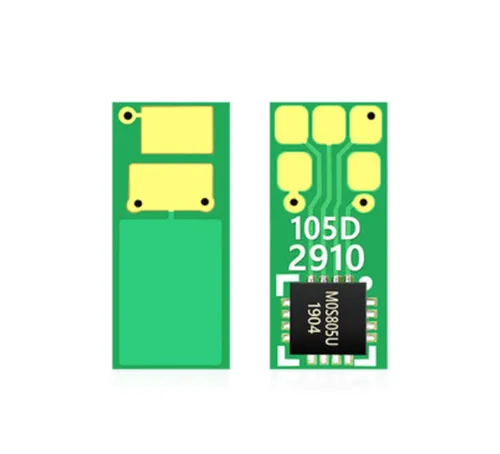
Finally, look at the chip contacts if the drum has a chip (many Brother models, like the TN-660 series, use a drum chip). The contacts should be gold-plated or at least have a smooth, non-oxidized finish. Poor contacts lead to false "Replace Drum" messages or the copier not recognizing the unit. CLONER offers ODM options where we customize the chip's page count and reset behavior to match your market's needs—so you can avoid those compatibility headaches that plague generic imports.
Before you place a large order, ask your supplier for a pre-shipment inspection report that includes these checks. And if you're sourcing from a factory like CLONER, you can request our standard quality checklist—we've been manufacturing drum units for Brother, HP, and Canon for over a decade, and we back every unit with a 100% OEM-compatible guarantee. Whether you need private-label packaging or custom chip programming, we're set up to support your business. Get in touch for samples and bulk pricing that makes sense.