Xerox Printer Cable Sourcing: Compatibility, Page Yield & Factory Direct Tips
You've probably seen it: a container of Xerox printer cables arrives, and half the batch fails on the first install. The connector fits, but the machine throws a 093-xxx error or the printhead data stream drops. That's not a cable problem—it's a compatibility and sourcing problem. For importers and repair shops, the margin on cables is thin, so one bad lot can wipe out the profit on an entire order. Here's what actually matters when you buy Xerox printer cables in volume.
Compatibility: It's Not Just the Connector
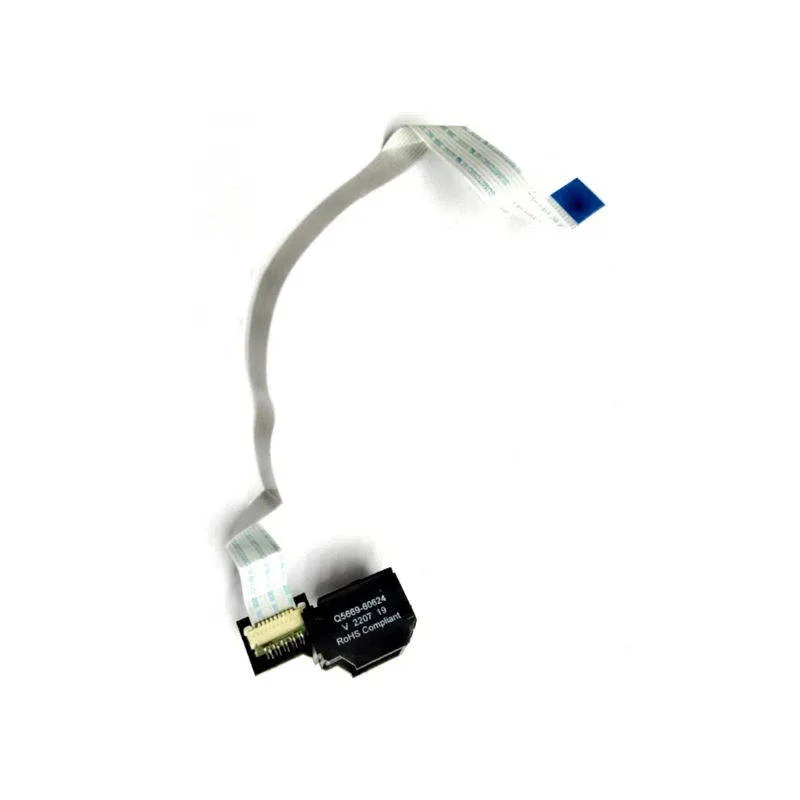
Xerox uses different cable architectures across its product lines. A cable that works on a WorkCentre 5845 won't necessarily work on a VersaLink C405. The physical connector may be the same USB-B or parallel port, but the internal shielding, wire gauge, and pinout can differ. For example, the older WorkCentre 4150 series uses a 36-pin parallel cable with specific grounding, while the Phaser 3260 uses a standard USB 2.0 A-to-B cable but requires a ferrite core to meet Xerox's EMI spec. If you're sourcing for a mixed fleet, ask your supplier for a cross-reference list by model series, not just a generic 'Xerox compatible' claim.
Also check the cable length. Xerox specifies maximum lengths for reliable data transfer—typically 3 meters for USB 2.0 and 5 meters for parallel. Going longer without a powered repeater causes intermittent dropouts that customers blame on the printer, not the cable. For B2B buyers, stocking 1.8m, 3m, and 5m lengths in the same connector type covers 90% of service calls.
Page Yield: What It Really Means for Cables
Page yield is a term usually reserved for toner, but it applies to cables in a practical sense: how many print jobs can the cable handle before signal degradation or physical failure? A cheap cable with 28 AWG wire and minimal shielding might work for 500 pages in a low-volume office, but in a print shop running 10,000 pages a month, the same cable fails within weeks. The failure mode is usually not a clean break—it's increased error rates, garbled print data, or a 'communication error' that appears randomly.
For Xerox machines, especially the high-volume VersaLink and AltaLink series, you want cables with 24 AWG or thicker conductors, double shielding (foil plus braid), and gold-plated contacts. These handle the higher data throughput and vibration of continuous operation. Ask your supplier for the cable's rated bend radius and pull strength—if they can't provide it, they're not a real factory.
Inspection: What to Check Before You Pay
When a batch arrives, don't just plug one in and call it good. Do a three-point inspection. First, check the connector molding—look for flash, uneven plastic, or loose pins. A good cable has a solid overmold that won't crack when bent. Second, test continuity and shielding with a multimeter: pin-to-pin resistance should be near zero, and the shield should have continuity to the connector shell. Third, run a live test on the actual Xerox model you're targeting. Print a 50-page job and watch for errors. If you're buying OEM/ODM, request a test report from the factory for each lot.
- Check connector overmold for cracks or flash
- Verify pin-to-pin continuity and shield grounding
- Run a 50-page live print test on target Xerox model
- Confirm wire gauge (24 AWG or thicker for high-volume)
- Ask for ferrite core on USB cables for EMI compliance
Sourcing Tips: Factory Direct vs. Trading Company
Most 'Xerox cable' suppliers on B2B platforms are trading companies. They buy from a factory, mark up 20–30%, and can't answer technical questions about shielding or pinouts. If you're a repair shop or distributor, that markup eats your margin, and when a compatibility issue arises, they blame the factory. Go direct. A factory that actually extrudes its own cable and molds its own connectors can customize lengths, connector types, and shielding to your market's needs.
Look for a supplier that offers OEM/ODM services—meaning they can put your brand on the cable, adjust the packaging for retail or bulk, and provide technical documentation. For Xerox-specific cables, ask for a sample of each model series you plan to stock. Test it yourself. If the factory can't provide a sample or a spec sheet, walk away.
Why CLONER Fits This Niche
CLONER has been manufacturing printer cables and copier parts for over a decade, and we run our own extrusion and molding lines. That means we control wire gauge, shielding, and connector quality from the start. For Xerox cables, we keep a cross-reference database covering WorkCentre, Phaser, VersaLink, and AltaLink series, so you can order by model number and get a cable that actually works. We do OEM/ODM for importers who need their own branding and packaging, and we ship factory-direct—no trading company markup. If you're sourcing Xerox printer cables for a repair chain or distribution network, send us your target models and volumes. We'll send samples and a spec sheet, and you can test them on your own machines before committing to a container.