Buying Fuser Film Sleeve for HP: A Field Guide for Copier Repair Shops
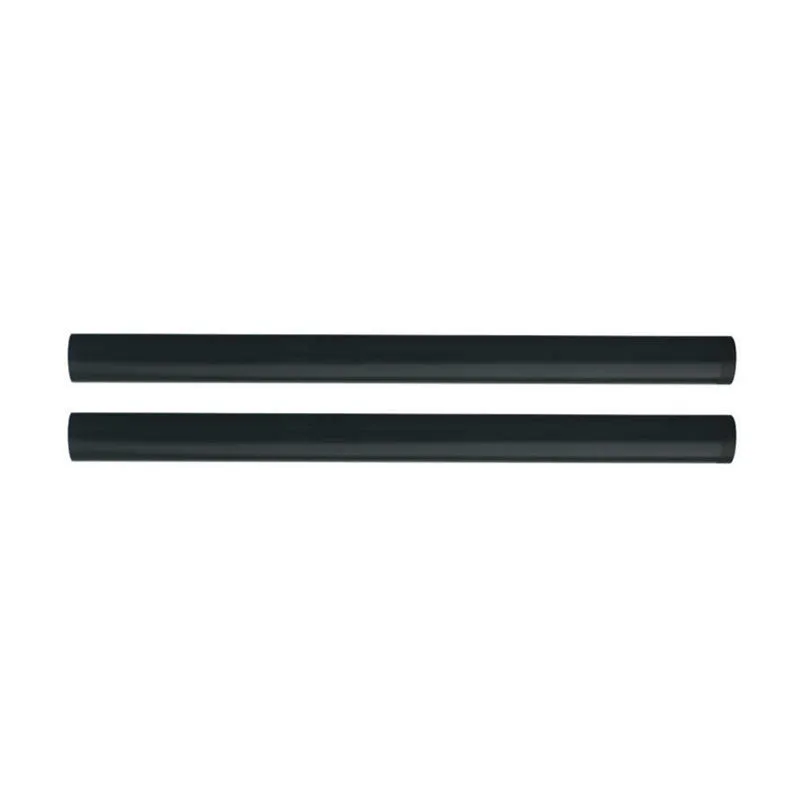
If you're a copier repair shop, you know the drill: an HP LaserJet comes in with a wrinkled page or a jam at the fuser, and the culprit is often the fuser film sleeve. But not all sleeves are created equal. Buying the wrong one leads to comebacks, damaged fusers, and angry customers. This guide cuts through the noise.
Know Your HP Models and Sleeve Specs
HP's LaserJet line spans decades, and fuser film sleeves vary by model family. The HP 4200/4300/4350 series uses a 54mm diameter sleeve with a specific length and notch pattern. The P4015/P4515 family takes a similar but not identical sleeve. Then there's the M601/M602/M603 series, where the sleeve has a different coating and end configuration. Cross-compatibility is a myth—what fits a 4200 won't fit a P4015 without causing drag or poor fusing.
Always match the OEM part number. For example, HP 4200 fuser film sleeves correspond to part numbers like RM1-0013, RM1-0014, and RM1-1082. But even within those, there are revisions. A sleeve for a 220V fuser is not the same as one for a 110V machine—the film thickness and lubricant differ to handle different fusing temperatures. If you're buying from a distributor who can't tell you the voltage rating, walk away.
Material matters too. Genuine HP sleeves use a polyimide film with a specific thickness (usually 50-60 microns) and a silicone lubricant that withstands high heat. Cheap aftermarket sleeves often use thinner film that tears or wrinkles prematurely. They might save you a few dollars upfront, but they'll cost you in returns and reputation.
Inspection: What to Look For Before You Install
When your sleeve arrives, don't just slap it in. Inspect it. First, check the film for any creases, bubbles, or uneven coating. A good sleeve is perfectly smooth and flexible. Run your finger along the edges—they should be cleanly cut, not frayed. Frayed edges will catch on the fuser and cause jams.
Next, examine the lubricant. Some sleeves come pre-lubricated, others need you to apply a specific high-temperature grease. If pre-lubricated, ensure the grease is evenly distributed and not dried out. If it's dry, the sleeve will wear out in days. Also, check the ends: they should have a precise notch or tab that aligns with the fuser gear. A misaligned tab will cause the sleeve to rotate unevenly and fail.
Finally, verify the packaging. Counterfeit sleeves often come in generic bags with no branding or part number. Legit suppliers like CLONER provide clear labeling with batch numbers and date codes. That traceability matters when you need to isolate a bad production run.
Sourcing: Factory-Direct vs. Distributor Markups
Most repair shops buy from local distributors who add 30-50% markup. That's fine for convenience, but when you're going through hundreds of sleeves a month, those margins eat your profit. Factory-direct sourcing cuts out the middleman. You get the same quality—or better—at a lower cost.
But not all factories are equal. Some are trading companies posing as manufacturers. How do you tell? Ask for a factory audit report, check if they have ISO 9001 certification, and request samples from different production batches. A real factory will happily provide these. A trader will make excuses.
CLONER is a factory-direct manufacturer with OEM/ODM capabilities. We produce fuser film sleeves for HP and other brands, and we can customize specifications—film thickness, lubricant type, packaging—to match your exact needs. Whether you need a private-label solution or bulk orders of standard parts, we handle it in-house. That means no middleman, no surprises, and consistent quality.
Common Failure Modes and How to Avoid Them
Even with a good sleeve, installation errors can cause failures. The most common is improper lubrication. Too little grease and the sleeve tears; too much and it slips, causing poor fusing. Follow the OEM service manual for the exact amount and type.
Another issue is contamination. Dust, toner, or paper fibers on the sleeve or fuser will cause hot spots and premature wear. Always clean the fuser assembly thoroughly before installing a new sleeve. Use a lint-free cloth and isopropyl alcohol.
Also, watch for pressure roller damage. A worn pressure roller will put uneven pressure on the sleeve, leading to wrinkles and jams. If the pressure roller has flat spots or hardened rubber, replace it along with the sleeve. It's a cheap insurance policy.
Finally, check the fuser gear and bushings. If they're worn, the sleeve won't rotate smoothly. Replace them if needed. A complete rebuild—sleeve, pressure roller, gears, bushings—will last far longer than a sleeve-only swap.
Building a Reliable Supply Chain
Your reputation depends on the parts you use. A failed fuser film sleeve means a callback, a lost customer, and wasted labor. So choose suppliers who understand the stakes. Look for a partner who offers technical support, consistent stock, and fair pricing.
CLONER ships directly from our factory, so you get competitive pricing without sacrificing quality. We stand behind our products with batch traceability and responsive service. If you're tired of inconsistent aftermarket sleeves, let's talk. Our OEM/ODM team can tailor a program that fits your volume and branding needs. Reach out to discuss samples and pricing—your repair bench will thank you.
Need a quote or samples from CLONER?
Factory-direct OEM/ODM supplier of compatible printer consumables & spare parts. Tell us your models — reply within 24h.