Compatible Upper Fuser Roller for Xerox: How to Pick a Reliable One
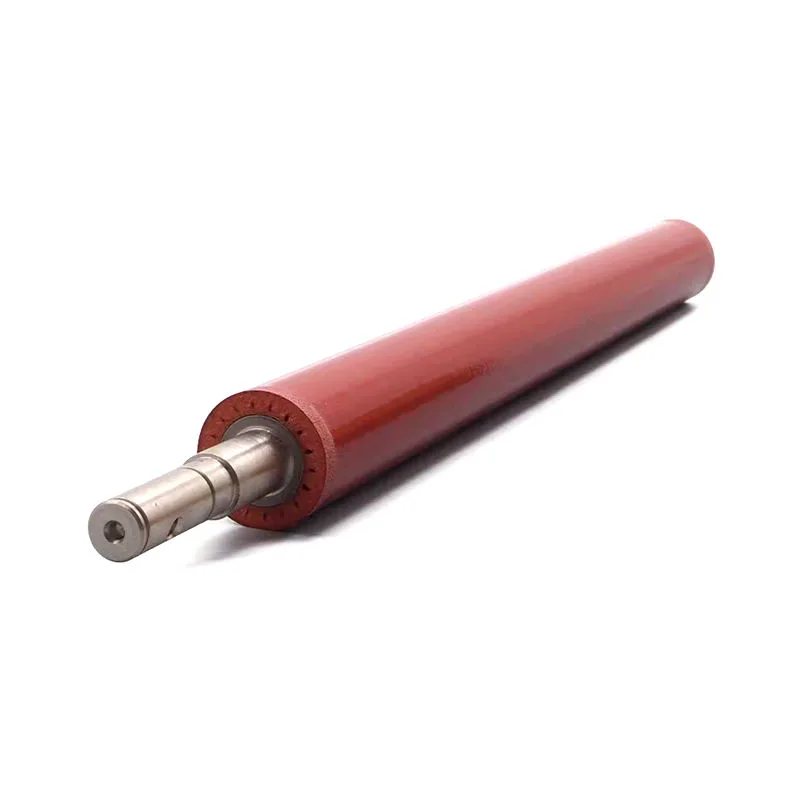
If you stock or install compatible upper fuser rollers for Xerox machines, you already know the pain points: heat streaks, paper wraps, and premature wear that kills the pressure roller too. The aftermarket is flooded with cheap rollers that look right but fail in a few thousand prints. Here’s the practical side of choosing one that actually holds up.
Know Your Xerox Fuser Assembly
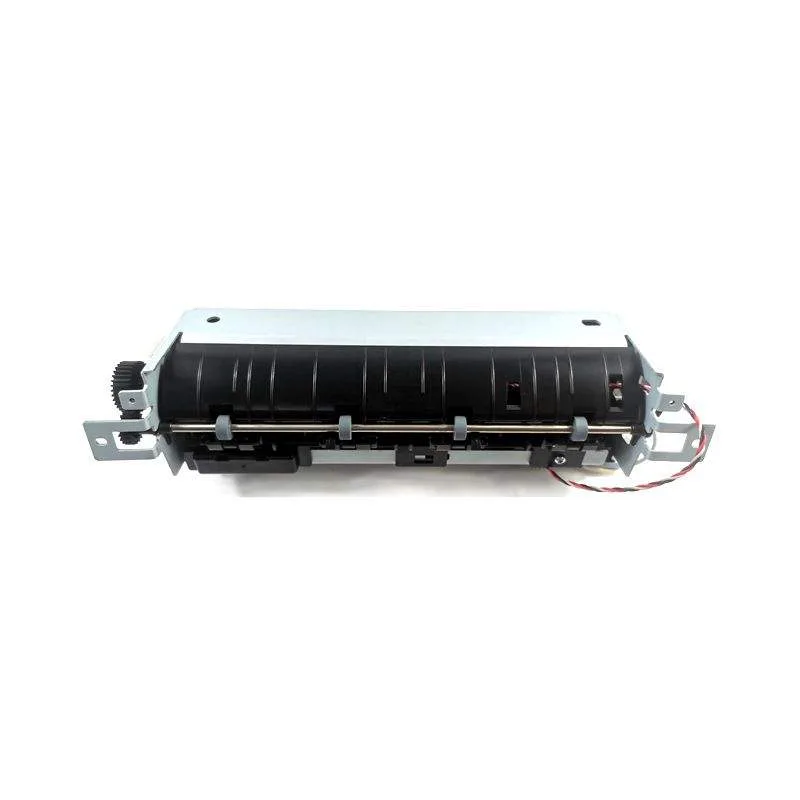
Xerox uses a few distinct fuser designs, and the upper roller is not one-size-fits-all. The WorkCentre 6655, 7830, and the VersaLink 7030 use different shaft lengths and thermistor contact points. Even within the same family, a C60 vs. C70 roller may have a different internal core diameter. Always confirm the exact part number — for instance, 101K27860 or 855I00690 — before you compare cross-references.
Also, pay attention to the sleeve type. Some Xerox fusers use a hard-coated aluminum roller, others use a softer rubber sleeve. The coating hardness affects the fusing nip and the life of the thermistor. If you install a harder roller on a machine designed for a softer one, you’ll get poor toner adhesion and more jams. If you go softer, the roller may deform under pressure.
Inspect the Coating and Core Before You Stock
When you receive a batch of compatible rollers, do a quick visual and tactile check. The surface should be smooth, without bubbles, pinholes, or a tacky feel. Run your fingernail lightly across the coating — if it scratches easily, that’s a sign of low-grade PTFE or silicone. A good roller should resist minor abrasion.
Check the core ends for burrs or uneven machining. A rough edge can damage the fuser bearings or cause the roller to wobble, which leads to uneven pressure and ghosting. Also, verify the length and diameter with calipers. Tolerances matter — a 0.5 mm difference can cause the roller to sit incorrectly against the thermistor, resulting in temperature spikes that shorten the roller’s life.
How to Test a Compatible Roller in a Live Machine
Don’t wait for a customer complaint. Run a simple test on a unit you service. Install the roller, print a solid black page at 100% coverage, then a blank page. Look for faint lines or a repeating mark that matches the roller’s circumference. If you see a pattern, the coating is not uniform.
Next, print a 10-page job at 50% coverage and feel the fuser exit — the paper should not stick or curl excessively. Also, listen for any chirping or squealing. That often means the roller’s surface is too rough or the sleeve is slipping. A reliable compatible roller should be silent and produce a clean output.
CLONER’s Factory-Direct Advantage
At CLONER, we manufacture upper fuser rollers for Xerox in our own facility, which means we control every step from core machining to coating application. You’re not buying from a middleman who relabels an unknown source. We offer OEM-ODM options, so you can have the roller branded for your distribution if that helps your sales.
Because we’re factory-direct, we can give you honest technical advice on which roller suits your local paper conditions — for example, high-humidity environments may need a different coating to prevent paper wraps. We also keep consistent batch quality, so the roller you get in a reorder matches the first one. That’s something you rarely get from a trading company.
Ordering and Stocking Tips
When you place an order, ask for the coating hardness specification and the thermal conductivity data. A reputable manufacturer like CLONER will share that. Also, consider ordering a small sample batch first — even if you’ve used the same part number before, it’s worth verifying the current production run.
- Check the roller’s surface with a light source for any dull spots.
- Measure the core diameter and length against the OEM spec.
- Ask about the coating’s temperature rating (should exceed 200°C).
- Confirm the sleeve’s thickness if it’s a sleeved roller.
Stocking a few units of the most common Xerox fuser rollers — like those for the WorkCentre 6655 and VersaLink 7030 — can reduce your lead time for service calls. Just keep them in a cool, dry place, away from direct sunlight, and rotate your stock so you don’t end up with old rollers that have hardened coating.
For a long-term supply, talk to CLONER about our scheduled replenishment program. We can align production with your sales volume, so you always have fresh rollers on hand without tying up too much capital. That’s the kind of partnership that keeps your customers’ copiers running and your margins healthy.
Need a quote or samples from CLONER?
Factory-direct OEM/ODM supplier of compatible printer consumables & spare parts. Tell us your models — reply within 24h.