How to Check the Quality of Drum Chip for Brother Copiers Before You Buy
Brother copiers like the HL-L5000 series, MFC-L6000, and DCP-L5500 are workhorses in offices worldwide, but their drum chips are a common failure point. If you're sourcing these chips, you know that a bad batch can lead to angry customers, returns, and a hit to your reputation. Before you place that next order, here's what to check.
Understand the Drum Chip's Role and Brother's Firmware
Brother drum chips are more than just a consumable—they're a sophisticated authentication and monitoring device. The chip communicates with the printer's firmware to verify genuine parts, track page counts, and manage toner levels. Incompatible chips can trigger error messages like 'Drum unit not detected' or 'Replace drum,' even if the drum itself is fine. Brother regularly updates firmware, so a chip that worked last year might fail after a printer update. Quality chips from reputable manufacturers, like CLONER, are engineered to be firmware-compatible across multiple versions and model families, including the popular TN-730/TN-760 series and DR-730/DR-760 drums.
When evaluating chips, ask for the firmware version compatibility list. A supplier who can't provide this is a red flag. Also, check if the chip supports the full page yield—typically 12,000 pages for standard drums and 30,000 for high-yield. If the chip resets prematurely, your customers will be back with complaints.
Physical Inspection: What to Look For in a Drum Chip
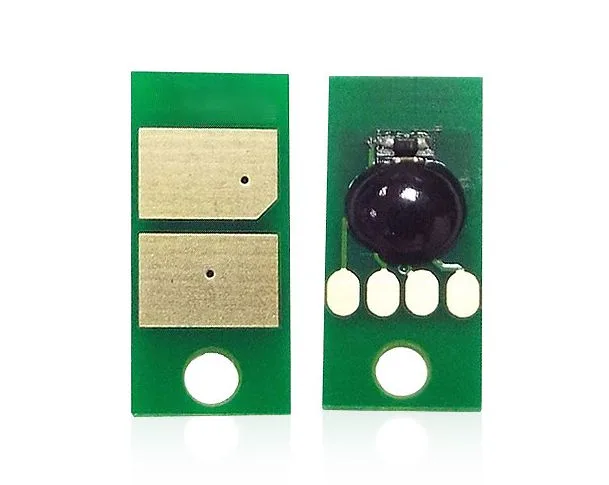
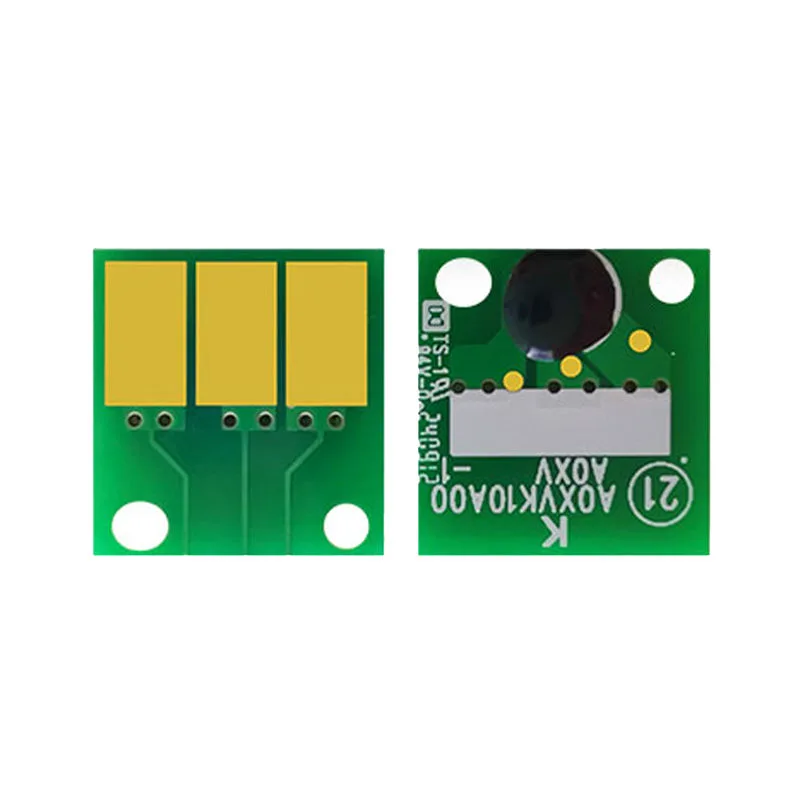
Before you buy in bulk, request samples and inspect them closely. Start with the PCB (printed circuit board). A quality chip uses a robust board with clear solder points and no signs of rework. Look for uniform gold plating on the contact pads—thin or uneven plating leads to poor connectivity. The chip's memory IC should be securely mounted; if it's easily dislodged, it's a sign of shoddy assembly.
Next, check the chip's dimensions and contact layout. It should match the OEM chip precisely. Even a millimeter off can cause misalignment in the drum unit, leading to communication errors. If you have a known-good OEM chip, compare side by side. Also, inspect the packaging: anti-static bags are a must to prevent ESD damage. Chips shipped in plain plastic bags are a gamble.
Finally, test a few samples in actual printers. Run a drum reset cycle and print a test page. Monitor for error codes and check the page count report. A good chip will register correctly and decrement as expected. If you see 'Install drum unit' errors or the count doesn't reset, reject the batch.
Performance Testing: Beyond the Basics
Functional testing is where many low-quality chips fail. You need to simulate real-world usage. Start with a new drum unit and a chip from your sample batch. Install it in a printer that has the latest firmware. Print a test pattern that covers 5% page coverage—standard for office documents. The chip should track pages accurately. Then, try a firmware downgrade and upgrade to see if the chip remains compatible. Some chips only work with specific firmware versions; a robust chip handles both.
Also, test the chip's endurance. Run it through multiple drum cycles (reset the drum count using a reset tool if needed). A quality chip can handle at least 3-5 reset cycles without failure. If it fails after one or two, it's not worth your money. Pay attention to the chip's temperature tolerance—printers generate heat, and cheap chips can fail in high-volume environments.
For high-volume buyers, consider accelerated life testing. CLONER, for instance, runs chips through rigorous testing that includes thermal cycling and vibration to ensure they survive shipping and real-world use. Ask your supplier about their testing protocols; if they don't have any, look elsewhere.
Supplier Vetting: Questions to Ask Before You Commit
Your supplier's manufacturing standards determine the chip's quality. Ask about their production process: Are they using original ICs or recycled ones? Recycled chips may work initially but fail prematurely. Check if they have ISO 9001 certification and if their factory is OEM/ODM capable. A factory-direct supplier like CLONER controls the entire process from PCB assembly to final testing, which means consistent quality and better pricing.
Request references from other buyers in your region. A supplier with a track record in North America or Europe understands the strict requirements of those markets. Also, clarify the warranty: a 12-month warranty is standard for quality chips. If a supplier offers only 3 months, they likely lack confidence in their product.
Don't forget about after-sales support. Can they provide firmware updates or technical assistance if Brother releases a new firmware version? A reliable partner will proactively notify you of compatibility issues and offer solutions.
Making the Final Decision: Balancing Cost and Quality
Price is important, but the cheapest chip often ends up costing more in returns and lost customers. Calculate the total cost of ownership: a chip that fails 5% of the time might seem cheap, but when you factor in shipping, handling, and reputation damage, it's a false economy. Aim for a failure rate below 1%, which reputable manufacturers achieve.
Order samples from multiple suppliers and run your own tests. Compare not just price but also performance, compatibility, and support. Once you find a reliable source, build a relationship. Consistent quality beats a few cents saved per unit.
CLONER manufactures drum chips for Brother copiers at our factory-direct facilities, offering OEM/ODM services with strict quality control. We test every batch for firmware compatibility and durability, so you can stock with confidence. Contact us for samples and see the difference for yourself.
Need a quote or samples from CLONER?
Factory-direct OEM/ODM supplier of compatible printer consumables & spare parts. Tell us your models — reply within 24h.