Developer Blade for Xerox: Compatibility, Page Yield and Sourcing Tips
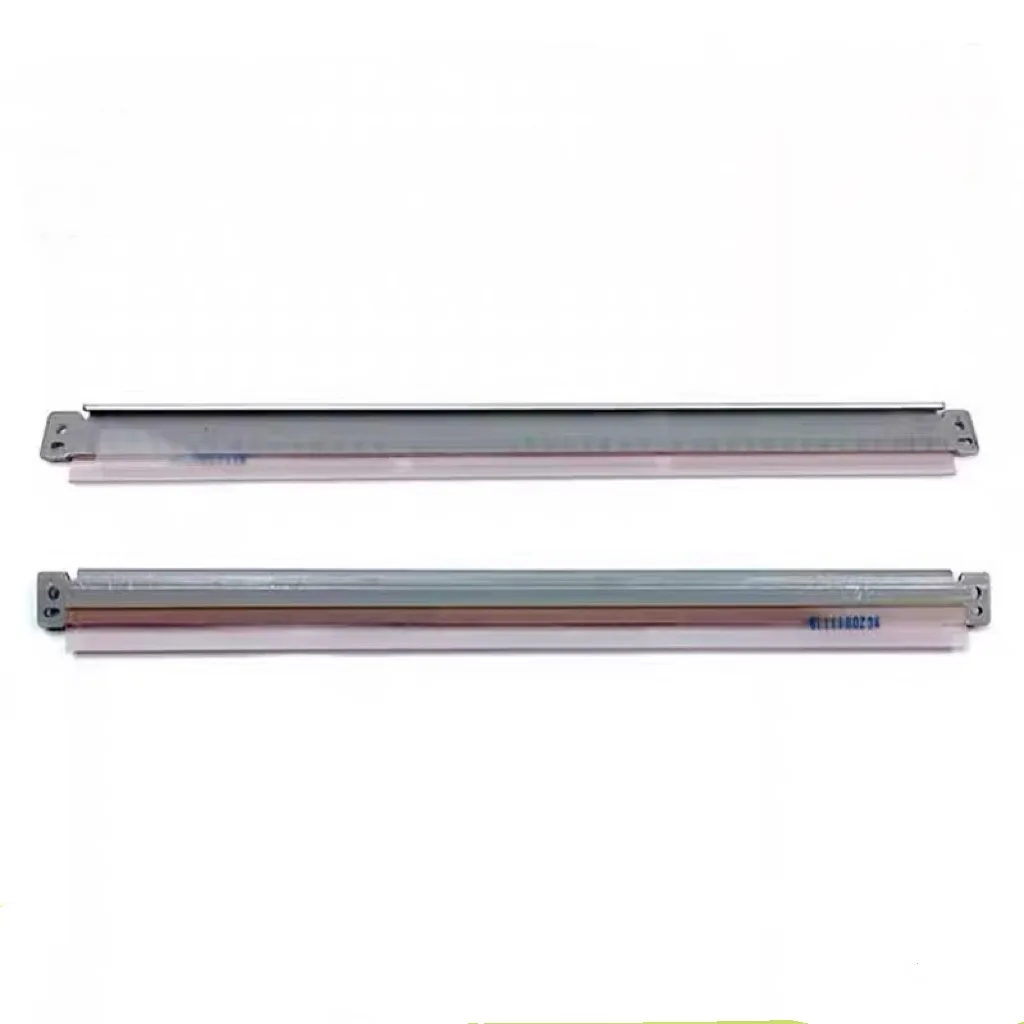
If you're stocking developer blades for Xerox machines, you know the pain of a blade that fails at 30,000 pages, leaving toner streaks across prints and a customer breathing down your neck. The developer blade—that thin polyurethane strip that meters toner onto the developer roller—is a consumable that can make or break your margins. Get it wrong, and you're dealing with callbacks, credits, and lost trust. Get it right, and you've got a steady, repeatable line. Here's what I've learned from years in the trenches, and how to source them without the usual headaches.
Know Your Xerox Families and Blade Compatibility
Xerox doesn't make this easy—blade dimensions, material hardness, and mounting geometry vary across families. For the WorkCentre 5xxx series (like 5020, 5045, 5050) and the older 4xxx series, blades are relatively flat with a specific lip angle. The VersaLink and AltaLink lines (e.g., C405, C605) use a different edge profile, often with a metal stiffener that affects how it seats. And don't forget the production units like the D95/D110/D125—those blades are larger, with a thicker mylar backing, and they handle higher toner throughput.
Before you order, check the part number stamped on the original blade—it's usually on the metal base. Cross-reference it with your supplier's list, but beware: some aftermarket blades are 'universal' and may not match the exact durometer (hardness) or edge radius. A blade that's too hard will scratch the developer roller; too soft and it'll deform, causing density variations. I've seen buyers save 30% on a generic blade, only to lose it all in warranty claims. If you're not 100% sure, send a photo of the original to CLONER's tech team—they'll match it to the right SKU, even for oddball models.
Page Yield: What to Expect and What Affects It
Page yield for a developer blade isn't published like toner cartridges, but real-world data gives you a baseline. For small workgroup Xerox (like WorkCentre 5xxx), expect 80,000–120,000 pages on a blade, assuming standard 5% coverage and proper maintenance. Larger production machines can push 300,000+ because they run at higher speeds but with better toner formulation. However, yield drops fast if the blade is misaligned or the developer roller is worn—so always inspect the roller when replacing a blade.
What kills yield prematurely? Paper dust, which acts as an abrasive, and low-quality toner with large particle distribution. If your customers run cheap toner, warn them that blade life may shrink by 20–30%. Also, check the blade's edge for nicks or burrs before installation—a tiny defect can cause a visible line on every page. In my experience, OEM blades hit their rated yield consistently, but many aftermarket blades fall short. CLONER's developer blades are built to OEM spec, with a polyurethane compound that's tested for abrasion resistance and a precise edge finish—so you're not gambling on yield.
Inspect Before You Install: A Quick Checklist
You don't need a lab to spot a bad blade. When you receive a batch, do these quick checks: first, flex the blade gently—it should return to shape without cracking or leaving a crease. Second, run your finger along the edge (carefully) to feel for any roughness or waves; it should be perfectly smooth. Third, check the metal base for straightness—place it on a flat surface; if it rocks, the mounting surface is warped. Fourth, look at the mounting holes—they should be clean, with no burrs that could strip screws. Fifth, compare the lip angle to your sample—use a protractor if you're picky; a 15-degree difference can change print density.
These checks take two minutes and can save you from installing a defective blade. If you're buying in bulk, pull a random sample from each box. CLONER offers a pre-shipment inspection report on request, and we'll also send a free sample for qualification before you commit to a large order—that's the kind of thing you don't get from a middleman.
Sourcing Tips: Factory-Direct vs. Distributor
Most buyers go through a distributor, but that adds layers of cost and communication lag. When you source factory-direct, you're cutting out the middleman margin—often 15–25%—and you get direct access to the engineers who make the product. CLONER is a manufacturer, not a trader, so you can talk to someone who knows the exact durometer of the blade you're buying. That's a huge advantage when you need a custom batch, like a blade with a different edge radius for a modified machine.
One tip: always ask for the blade's technical datasheet, including hardness (Shore A), tensile strength, and elongation at break. A reputable factory will share these without hesitation. Also, clarify the packaging—blades should be individually wrapped to prevent dust and edge damage. CLONER packs each blade in a protective sleeve, and we can do custom labeling for your brand. For ODM, we'll adjust the blade's dimensions to fit your private-label spec, as long as it's within our tooling range.
When you're comparing quotes, don't just look at unit price. Factor in freight, lead time, and minimum order quantity. CLONER offers flexible MOQs, starting at 100 pieces for standard models, and we ship from our factory in China with a 15-day lead time for in-stock items. For large orders, we can hold inventory and ship as you need, which helps you manage cash flow.
One more thing: don't ignore the warranty. A factory that stands behind its product will offer a replacement for defects. CLONER provides a 12-month warranty on developer blades against workmanship issues—that's our way of saying we're confident in what we make.
So, when you're ready to source developer blades for Xerox, skip the guesswork. Get a sample from CLONER, run it on your test machine, and compare it to OEM. You'll see the difference in edge quality and print consistency. Then you can order with confidence, knowing you're getting a factory-direct product that's built to perform.
Need a quote or samples from CLONER?
Factory-direct OEM/ODM supplier of compatible printer consumables & spare parts. Tell us your models — reply within 24h.