Buying Transfer Roller for Xerox: A Field Guide for Copier Repair Shops
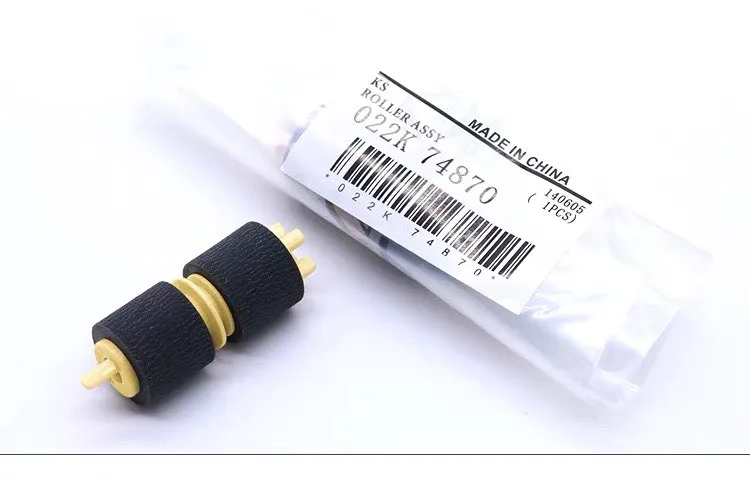
If you repair Xerox copiers, you know the transfer roller is a consumable that gets replaced more often than most parts. It's the component that pulls toner from the drum onto the paper, and when it starts to fail, you see it in the output: light prints, toner offset, or paper jams. But buying the right roller isn't as simple as matching a part number. You need to know which models share the same roller, how to spot a quality replacement, and how to avoid the cheap knock-offs that will cost you callbacks.
Know Your Xerox Roller Families
Xerox doesn't make it easy with part numbers, but the good news is that many rollers are shared across multiple models. For example, the roller used in the WorkCentre 6655 is the same as in the VersaLink C600 series. You'll see part numbers like 059K89640 or 108R00850, but the internal specs can differ subtly—hardness, diameter, and the conductive coating. If you're not sure, cross-reference with the service manual. A roller that's 1mm off in diameter can cause fusing issues or paper skew.
Also, pay attention to the difference between primary and secondary transfer rollers. In color machines, the primary transfer roller contacts the drum, while the secondary transfer roller contacts the belt. They have different durometers and surface finishes. Mixing them up is a classic mistake that leads to poor transfer and ghosting.
Spotting a Failing Transfer Roller
Your customers will bring in machines with symptoms that point to the transfer roller, but you need to confirm before you order. Look for these signs: repetitive toner spots on the back of the paper, a faint image that doesn't improve with cleaning, or a faint image that appears on the second side of duplex prints. If you see a line across the page that repeats at the circumference of the roller, that's a dead giveaway.
Another clue is the sound. A worn roller can squeak or grind as it rotates. But don't rely on sound alone—some bearings make noise even when the roller is fine. Always inspect the roller visually. Remove it and check for flat spots, cracks, or a shiny glaze on the surface. If it's hard to the touch, it's lost its elasticity and needs replacement.
Inspection Points Before You Buy
When you're evaluating a replacement roller, whether from a dealer or a factory source, ask for the specs. The roller's hardness, measured in Shore A, should match the original. A roller that's too soft will deform under pressure, and one that's too hard won't make good contact with the drum. Check the surface finish—a smooth, matte finish is typical, but some rollers have a slight texture to aid paper release.
Look at the shaft and the grounding mechanism. A poor ground can cause static buildup, leading to print defects. Also, verify the packaging. A roller that's bent or compressed in shipping is useless. Reputable suppliers ship in rigid tubes or boxes with foam supports.
Here's a quick checklist for your first order from a new supplier:
- Request the technical datasheet and compare it to the OEM part.
- Ask for a sample to test in a known-good machine.
- Check the MOQ and lead time—you don't want to stock 100 rollers if they only sell in bulk.
- Inquire about warranty terms for defective parts.
Quality and Compatibility Considerations
You'll find transfer rollers at a wide range of prices. The cheapest ones are often remanufactured or made with lower-grade rubber. They might work for a few thousand copies, but they'll fail prematurely, especially in high-volume environments. For a repair shop, the cost of a callback is higher than the savings on the part. So, look for rollers that are made from EPDM or polyurethane, with a consistent thickness and a smooth surface.
Another factor is the conductive layer. Xerox rollers have a specific resistance range to ensure proper bias transfer. If the resistance is off, you'll get toner scatter or poor transfer on heavy paper. A good aftermarket supplier will test each batch and provide QC reports. Don't be afraid to ask for them.
Buying Direct from CLONER
When you're ready to buy, consider CLONER. We manufacture transfer rollers for Xerox and other major brands in our own factory, which means we control the quality from the raw material to the finished product. You get factory-direct pricing, and we can do OEM and ODM orders if you need custom branding or packaging for your own line of parts. We understand the demands of the repair market, so we offer flexible MOQs and fast shipping. Before you place your next order, send us the part number you need, and we'll send you a spec sheet and a quote. You'll see the difference in quality and service.