Konica Minolta Toner Chip Failures: A Buyer's Guide to Spotting and Avoiding Dud Lots
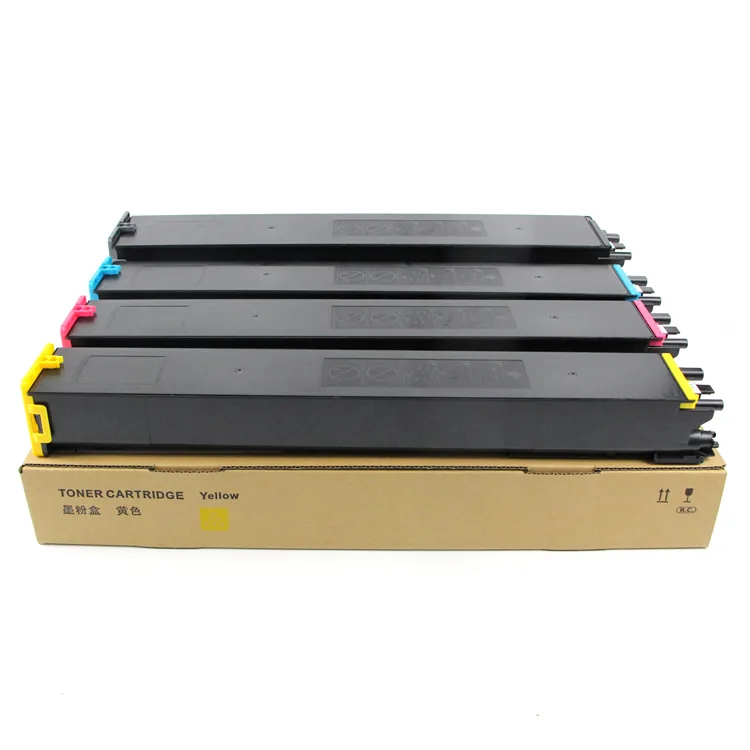
If you move Konica Minolta consumables, you've seen it: a carton of chips that reads fine on the bench, then throws a 'Toner Cartridge Not Installed' or 'Chip Error' the moment it hits a bizhub C224 or C368. Returns pile up, the customer blames your brand, and the supplier swears the lot was tested. Most of these failures aren't random. They cluster around a handful of design and firmware issues you can screen for before you wire the deposit.
Where Konica Minolta Chips Actually Fail
On the bizhub C-series (C224, C284, C364, C454, C554 and the newer C258/C308/C368), the toner chip talks to the machine through a small contact pad on the cartridge. The two most common failure modes are contact corrosion and EEPROM corruption. Corrosion shows up as intermittent reads: the machine accepts the cartridge, prints 50 pages, then demands a new one. That's usually a plating problem on the pad, not a dead chip.
EEPROM corruption is worse because it looks fine at first. The chip writes page counts and remaining-toner data. If the EEPROM cell endurance is low, or the programmer wrote the wrong firmware region, the counter rolls over early and the machine locks the cartridge. On mono units like the bizhub 223/283/363, a bad chip often triggers a fuser or developer error code because the machine misreads consumable life. Repair shops waste hours chasing a mechanical fault that's actually a 30-cent chip.
What Separates a Good Chip From a Dud
Ask your supplier what EEPROM they use. Genuine-grade chips typically run 1-million-write endurance parts; cheap lots use recycled or re-marked dies that fail at 10k writes. On Konica Minolta, the chip also has to survive the machine's voltage swing during the read cycle. A chip rated for 1.8V logic in a 3.3V slot will read once and die.
Firmware version matters more than most buyers realize. Konica Minolta pushed firmware updates (notably around the C368 and C558 generations) that changed the authentication handshake. A chip that worked on v3.0 firmware can be rejected after a v4.x update. If your supplier can't tell you which firmware revisions their chip is validated against, you're buying a lottery ticket.
Finally, the physical package. The contact pad geometry on Konica Minolta cartridges is tight. Chips that are 0.2mm too thick won't seat, and ones with soft gold plating wear through in a few insertions. Ask for the dimensional drawing and a plating spec (hard gold, 0.3–0.5 micron is a reasonable benchmark).
Incoming Inspection: What to Check Before You Accept a Lot
Don't rely on the supplier's test report. Pull 10–15 chips at random from the carton and run them on a real machine, not just a programmer. A programmer confirms the chip powers up; it doesn't test the handshake. Use a machine from the target series and cycle the cartridge through install-recognize-print-remove at least three times.
Watch for these red flags during inspection:
- Intermittent 'not installed' errors on the second or third insertion — plating or seating issue.
- Page counter that jumps or resets after 20–30 prints — EEPROM endurance problem.
- Chips that read on a C224 but fail on a C368 — firmware mismatch.
- Visible corrosion or uneven gold color on the pad — plating bath contamination.
- Batch inconsistency: 3 of 15 fail — stop and reject the lot, don't sort.
If more than 5% of a sample fails, the whole lot is suspect. Sorting good from bad costs more than the chips are worth, and the bad ones tend to fail after they've shipped to your customer.
Specifying Chips That Hold Up in the Field
When you write the PO, be specific. State the machine series, the firmware revision range you need covered, EEPROM endurance, and plating spec. Require a sample approval before mass production, and keep the approved sample on file. If a later lot doesn't match the sample, you have grounds to reject.
For OEM/ODM buyers, this is where a factory relationship beats a trading desk. A factory that programs its own chips controls the firmware load and can adjust for new Konica Minolta updates without changing suppliers. Traders usually can't; they buy whatever's on the shelf and hope it works.
Why Factory-Direct Matters on This Part
CLONER manufactures toner chips and cartridge components for Konica Minolta and other major platforms, and we program in-house. That means when Konica Minolta rolls a firmware update, we can validate against it and ship lots that match your approved sample — not whatever a third-party programmer happened to load that week. For importers and repair chains, we do OEM/ODM runs with your branding, your firmware spec, and your inspection criteria. Send us the machine series and firmware range you're targeting, and we'll quote a chip spec that survives the field, not just the bench.