Common Toner Chip Failures on Konica Minolta Machines and How to Avoid Them
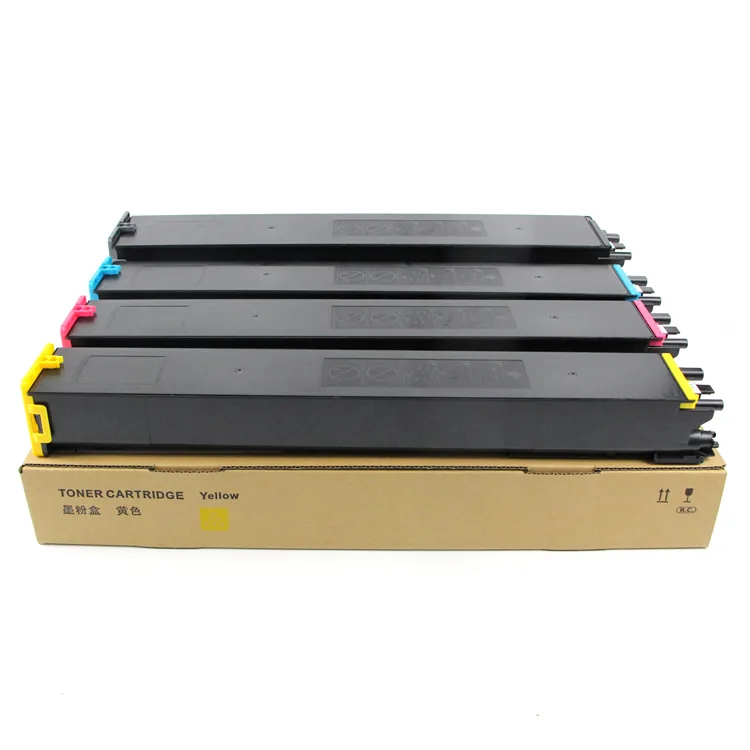
Konica Minolta bizhub and Accuriopress machines are workhorses, but their toner chips are a common point of failure. If you're an importer, wholesaler, or repair shop, you've likely seen chips that read incorrectly, trigger error codes, or fail prematurely. The result: wasted toner, service calls, and unhappy customers. This guide covers the typical failure modes, what to inspect before buying, and how to choose a supplier that won't leave you stranded.
Why Toner Chips Fail on Konica Minolta Machines
Konica Minolta uses sophisticated chip technology to track toner usage, page counts, and cartridge authenticity. The chips communicate with the machine's firmware, and any mismatch or corruption can cause failures. Common issues include EEPROM data corruption, poor contact between the chip and the cartridge's electrical terminals, and firmware incompatibility after a machine update. In humid environments, oxidation on the chip's contacts is a frequent culprit, leading to intermittent 'Toner Cartridge Not Detected' errors.
Another major cause is physical damage during shipping or installation. Chips are delicate; a bent pin or cracked casing can render them useless. Some aftermarket chips also use inferior microcontrollers that can't handle the write cycles Konica Minolta machines demand. Over time, these chips may lose their data or fail to reset properly, causing the machine to reject the cartridge even when it's full.
Spotting a Failing Chip: Symptoms and Diagnostics
Recognizing the signs early can save you from a full-blown service call. Typical symptoms include error codes like 'Toner Cartridge Not Installed' or 'Replace Toner Cartridge' appearing immediately after installation, even with a new cartridge. The machine may also display incorrect toner levels, jumping from 50% to empty in a few prints. In some cases, the chip works initially but fails after a few hundred pages, indicating a heat or power issue.
To diagnose, first check the chip's contacts for dirt or damage. Clean with isopropyl alcohol and a lint-free swab. If the error persists, try the cartridge in another machine to isolate whether the chip or the machine's reader is at fault. Firmware version mismatches are common; ensure your machine's firmware is up to date, but be aware that some aftermarket chips are not compatible with the latest versions. Always test a sample batch before committing to a large order.
Inspection Checklist for Buying Toner Chips
When sourcing toner chips for Konica Minolta, don't rely solely on the supplier's word. Inspect samples rigorously. Here's a short checklist to run through:
- Verify the chip's part number matches your machine model (e.g., bizhub C224, C308, C368, Accuriopress C4065).
- Check the EEPROM brand—quality chips often use Atmel or ST microcontrollers.
- Test contact pins for gold plating; thin or missing plating leads to oxidation.
- Confirm firmware compatibility with your machine's current version.
- Request a sample and run a full cartridge cycle to ensure proper reset and page count tracking.
Beyond the checklist, ask about the chip's origin. Some suppliers recycle OEM chips, which can work but have a limited lifespan. Others use new, aftermarket chips that may lack proper certification. The best approach is to source from a manufacturer that controls the entire production process, ensuring consistency and quality.
Selection Guide: Matching Chips to Your Konica Minolta Fleet
Konica Minolta's range is vast, from the bizhub C series to the Accuriopress production machines. Each uses different chip designs and firmware protocols. For example, the bizhub C224e uses a chip with a specific encryption handshake, while the Accuriopress C4065 requires a chip with higher memory capacity for detailed toner data. Using a generic chip across models is a recipe for failure.
When selecting a supplier, look for one that offers model-specific chips and provides technical documentation. A reliable supplier will also offer OEM/ODM services, allowing you to customize chips for your market. This is particularly useful if you're rebranding or need chips that bypass regional restrictions. Always confirm the chip's compatibility with the latest firmware updates; a good supplier will keep you informed of any changes.
Avoiding Failures: Best Practices for Storage and Handling
Even the best chip can fail if mishandled. Store chips in anti-static bags away from moisture and direct sunlight. When installing, avoid touching the contacts; use gloves if possible. Ensure the cartridge's chip slot is clean and free of debris. During shipping, use protective packaging to prevent physical damage. If you're a repair shop, keep a small stock of known-good chips for troubleshooting.
Training your technicians on proper installation and handling is crucial. A chip that's forced into place can crack, and a misaligned chip won't make proper contact. Also, be cautious with firmware updates; sometimes they render existing chips incompatible. Coordinate with your supplier to ensure you have chips that work with the latest firmware.
CLONER manufactures toner chips and copier spare parts at our own factory, giving you direct control over quality and cost. We offer OEM/ODM services for Konica Minolta chips, with rigorous testing against real machines. Whether you need a few samples or a container load, we provide consistent, reliable chips that keep your customers' machines running. Contact us for a quote and sample request.
Need a quote or samples from CLONER?
Factory-direct OEM/ODM supplier of compatible printer consumables & spare parts. Tell us your models — reply within 24h.