How to Check Konica Minolta Fuser Assembly Quality Before You Buy: A Buyer's Inspection Guide
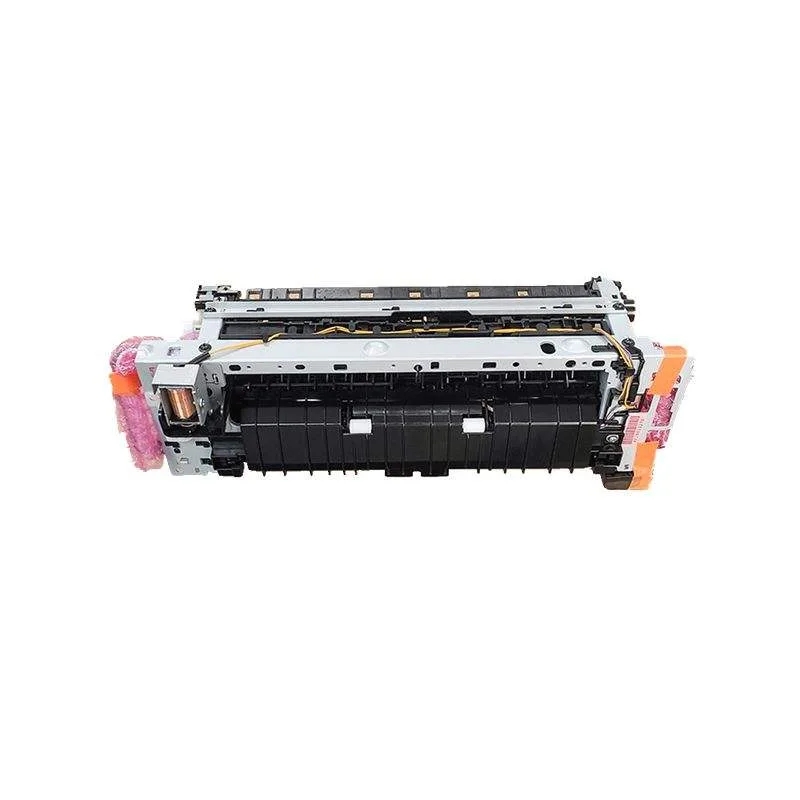
You've probably been burned by a fuser assembly that looked fine on arrival but started jamming or throwing C-2801 codes within a month. For Konica Minolta machines—especially the bizhub C224/C284/C364 and C258/C308/C368 series—the fuser is the most failure-prone and most counterfeited part in the copier. Buying wrong means not just the part cost, but downtime, labor, and a customer who won't call you again. This guide covers what to check before you pay, based on how these units are built and where cheap ones cut corners.
Start with the heat roller and pressure roller surface
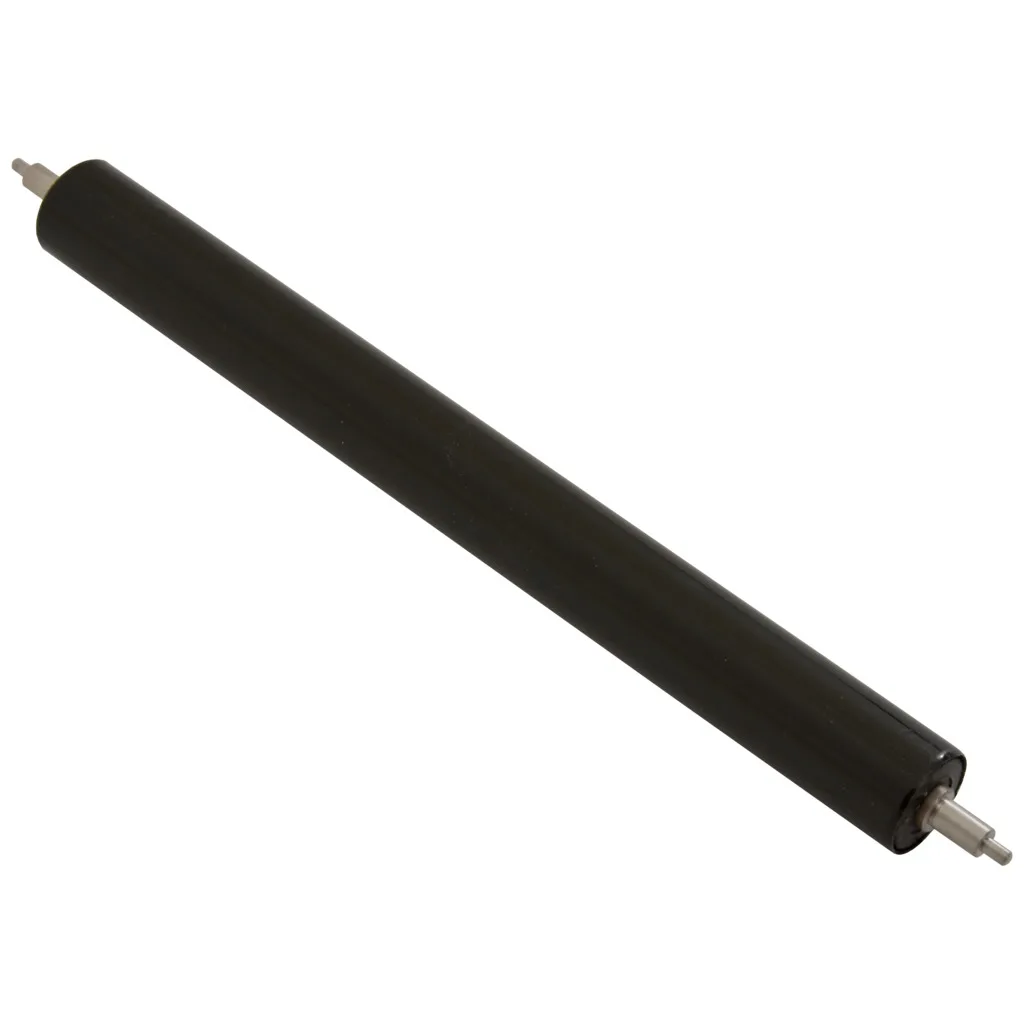
On a genuine Konica Minolta fuser, the heat roller (often a Teflon-coated aluminum or steel core) should have a uniform, slightly matte finish with no visible pinholes, orange-peel texture, or patchy gloss. Run your fingernail lightly across the surface—if it catches on micro-cracks or feels tacky, the coating is already degraded. Cheap aftermarket rollers often use a thinner PFA sleeve that delaminates after 20k–30k prints, causing toner offset and ghosting.
The pressure roller matters just as much. Check for flat spots or a spongy feel. On bizhub C368 fusers, a bad pressure roller shows up as skewed paper feed and a rhythmic thumping noise. Squeeze the roller between thumb and forefinger—it should rebound immediately. If it stays compressed, the silicone layer is cheap and will fail under heat.
Inspect the gears, bushings, and drive coupling
Fuser drive gears are where counterfeiters save the most money. Genuine Konica Minolta gears use glass-filled nylon; knockoffs use plain nylon that wears oval within weeks. Look at the gear teeth under a light—sharp, uniform edges, no flashing or sink marks. Spin the gear by hand: it should turn smoothly with minimal backlash. Any grinding or wobble means the bushing is out of spec.
The drive coupling on the fuser frame is another tell. On the C258/C308 series, the coupling tabs should be crisp and square. If they're rounded or have mold lines, the fuser will slip under load and eventually strip the main drive gear in the machine—a repair that costs more than the fuser itself. Also check the fuser frame for warp. Lay it on a flat surface; a 1mm twist will cause uneven nip pressure and jamming.
Test the thermistors, thermostat, and lamp
You can't fully test a fuser without powering it, but you can do a cold check. The thermistors (usually two: center and edge) should read roughly 200–400 kΩ at room temperature depending on model. If you get an open circuit or a dead short, reject the unit. The thermostat should show continuity—if it's open, the fuser has likely been overheated and the lamp or roller is compromised.
For the halogen lamp, check the ceramic end caps for cracks and the glass for dark spots or clouding. A used lamp with a blackened envelope will run hot and short-lived. On Konica Minolta fusers with a fuser belt (like the C1060/C1070 production models), inspect the belt for edge fraying and inner coating scratches—any visible wear means the belt will tear under thermal cycling.
- Heat roller: uniform matte finish, no pinholes or tackiness.
- Pressure roller: quick rebound, no flat spots or soft spots.
- Gears: glass-filled nylon, sharp teeth, smooth spin.
- Thermistors: 200–400 kΩ cold, no open/short.
- Frame: flat within 1mm, coupling tabs square.
Check the nip width and paper path alignment
Nip width is the single best indicator of a fuser's real condition. On a rebuilt or new fuser, the contact area between heat and pressure rollers should be even across the page—typically 6–8mm for bizhub C224/C284 and 7–9mm for C368. If you have a test setup, run a sheet with a stripe of toner and measure the gloss band. Uneven nip means the pressure springs are weak or the frame is bent.
Also inspect the paper guide ribs and separation claws. Cheap fusers use brittle plastic guides that snap off during shipping. Genuine Konica Minolta guides have a slight flex and no sharp mold flash. The separation claws should be sharp and springy—if they're dull or bent, you'll get wrapping around the heat roller and a torn fuser belt.
What to ask your supplier before you commit
Ask for the production batch date and whether the fuser is new, rebuilt, or pulled. Rebuilt units can be fine if the heat roller and pressure roller are replaced with OEM-grade components, but many suppliers just clean and reship. Request a test report showing nip width, thermistor resistance, and a 500-sheet run without jamming. If they can't provide it, walk away.
This is where CLONER works differently. We manufacture fuser assemblies and components for Konica Minolta bizhub series in our own factory—no trading company markup. Our heat rollers use the same PFA sleeve thickness as OEM, and our gears are glass-filled nylon. For importers and repair shops, we offer OEM/ODM: your logo on the box, your part number on the label, and custom packaging for container loads. We ship with a batch test report and a 12-month warranty on the fuser frame and rollers.
If you're sourcing fusers for the C224/C284/C364 or C258/C308/C368, send us your target price and monthly volume. We'll quote factory-direct and send a sample for your own nip and resistance checks before you place a bulk order.