How to Check the Quality of Feed Roller for Samsung Copiers Before You Buy
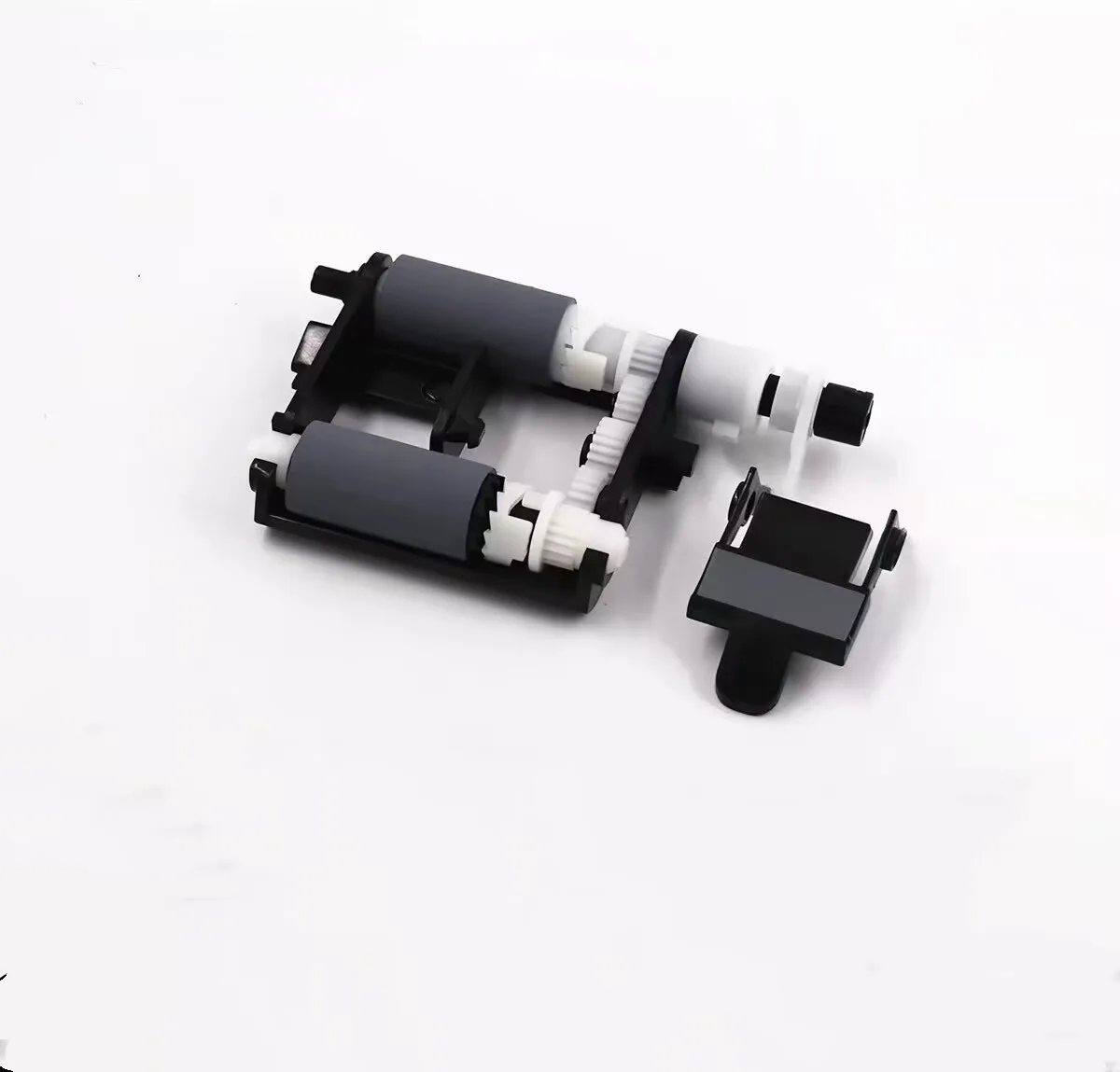
When sourcing feed rollers for Samsung copiers, the difference between a reliable part and a dud often shows up in the first thousand prints. I've seen buyers who saved a few cents per roller end up with paper jams, misfeeds, and angry customers. The trick is knowing what to inspect before you commit to a bulk order. Here's the practical checklist I use when evaluating feed rollers for Samsung models like the X4220, K4250, and SL-M5370 series.
Material Composition and Surface Texture
The roller's rubber compound is the first thing I check. Genuine Samsung feed rollers use a special polyurethane blend that balances grip and durability. If the roller feels too hard or too slippery, it's likely made from a cheap substitute that will harden over time and lose traction. Run your thumb across the surface—a quality roller has a slight tackiness, not sticky, but with a firm grip. Also, look at the color: most OEM rollers for Samsung are a dark gray or black, but some aftermarket ones use a lighter shade that indicates a different, often inferior, polymer.
Check for surface uniformity. A good roller has a consistent texture across the entire circumference. Any visible pits, bumps, or shiny spots suggest uneven molding or poor curing. These imperfections cause inconsistent paper feeding, leading to skew and jams, especially in dual-feed systems. Ask your supplier for a sample and test it on a real machine if possible—that's the only way to be 100% sure.
Hardness and Compression Set
Hardness is measured in Shore A, and for Samsung feed rollers, you want something in the 45–55 range. If it's much harder, the roller won't deform enough to grip the paper, causing slips. If it's softer, it may wear out quickly or leave residue on the paper. You can do a simple fingernail test: press your nail into the surface. A good roller should indent slightly and spring back immediately. If it leaves a permanent dent, the compression set is poor—meaning the roller will flatten out after sitting idle for a while, causing paper feed issues on the first few copies after a weekend.
Compression set is critical for rollers that sit under pressure when the machine is off. I've seen cheap rollers that develop a flat spot after just a few days of idle time. That leads to 'first-copy jams' that are hard to diagnose. Ask the manufacturer for their compression set test data. A reputable supplier like CLONER will have this readily available and can explain their testing process.
Dimensional Accuracy and Shaft Fit
Feed rollers for Samsung copiers come in various sizes, and the dimensions must match the OEM specs exactly. A difference of even 0.5 mm in diameter or width can cause misalignment, leading to uneven wear and paper jams. Use a caliper to measure the roller's outer diameter and the inner hole. The hole should fit snugly on the shaft without play, but not so tight that it's hard to install. Also, check the ends—they should be cleanly cut, with no burrs or excess rubber.
For models like the Samsung X4220, the feed roller often comes as part of a kit with a separation pad. Make sure the pad is also properly sized and has the right texture. Some aftermarket kits skimp on the pad, which is the most common cause of double-feeding. If you're buying in bulk, request a certified drawing or spec sheet from the supplier. It's a simple request that separates serious manufacturers from traders.
Wear Resistance and Lifespan Testing
No one wants to replace feed rollers every 20,000 pages. In my experience, genuine Samsung rollers last about 50,000 to 60,000 pages, depending on paper quality. Aftermarket ones vary wildly. To gauge wear resistance, look at the roller's surface under a magnifying glass—if you see a rough, porous texture, it's likely to wear down faster. A dense, smooth surface is a better indicator.
Ask your supplier about their lifespan testing. Do they run accelerated wear tests? What's the typical page yield they claim? Be wary of manufacturers who quote numbers that are too good to be true. For example, a roller that claims 100,000 pages might be using a harder compound that sacrifices grip for longevity, which will actually cause more jams. The sweet spot is a roller that maintains its grip for at least 50,000 pages without significant wear.
Packaging and Logistical Considerations
Finally, don't overlook how the rollers are packaged. Quality rollers should be individually wrapped or placed in protective trays to prevent deformation during shipping. If they arrive squished or with permanent bends, they're useless. Check the packaging for any signs of poor handling—creases, tears, or excessive dust. Also, verify the part numbers match the models you're targeting. A simple mismatch can cost you time and money in returns.
When you're ready to order, consider buying from a manufacturer that offers both OEM and ODM options. That's where CLONER stands out—we're factory-direct, so you get the same quality as the original parts, but with the flexibility to customize if needed. We've been producing feed rollers for Samsung copiers for years, and we know the exact specs that work. Contact us for samples and test reports before you commit to a large order. That's the smart way to buy.
Need a quote or samples from CLONER?
Factory-direct OEM/ODM supplier of compatible printer consumables & spare parts. Tell us your models — reply within 24h.