OEM vs Compatible Transfer Belt for Samsung: What Distributors Should Know
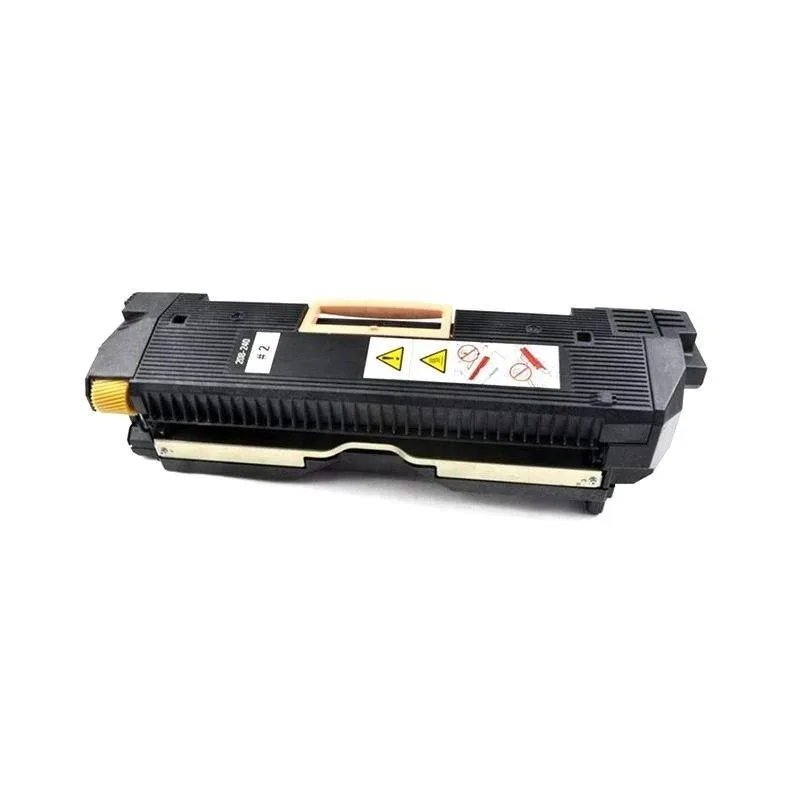
When you're stocking transfer belts for Samsung printers, the OEM-versus-compatible decision isn't just about price. It's about how many callbacks you can tolerate, how many machines you keep running, and whether your customers reorder from you or switch to a competitor. Samsung's CLP-300, CLP-600, CLX-216x, CLX-316x, and the newer CLP-680/CLX-626x series all rely on a belt that takes serious mechanical and electrical stress. A cheap belt that fails at 20,000 pages will cost you more in freight and goodwill than you saved on the unit cost.
What Actually Wears Out on a Samsung Transfer Belt
The transfer belt on a Samsung is a multi-layer polyimide or PET film stretched over two rollers, with a metal frame that carries the belt's ground contacts and the cleaning brush. Failure usually shows up as ghosting, background toner, or vertical lines at specific intervals—often around 94 mm, which is the belt's circumference. On the CLP-300, you'll also see a "Transfer Belt" error or a C3-1311 code when the belt's life counter hits zero, even if the belt is physically fine. That's a firmware lock, not a mechanical failure.
Compatible belts differ from OEM in three key areas: the film's thickness and surface resistivity, the tension of the belt on the rollers, and the quality of the ground spring contacts. A belt with slightly higher resistivity can cause uneven transfer, leading to washed-out prints or excessive toner consumption. A belt that's even 0.5 mm loose will produce jitter and banding that gets worse as the machine warms up. These are the symptoms you need to test for before you commit to a large order.
Inspection Checklist for Incoming Compatible Belts
Before you accept a shipment of compatible transfer belts, run these checks on a sample unit. First, measure the belt's circumference with a flexible tape—it should match the OEM spec within 1 mm. Next, flex the belt gently: it should spring back without creasing. A belt that takes a set will cause permanent print defects. Inspect the ground contacts: they should be bright, corrosion-free, and spring-loaded with real tension. On Samsung belts, the ground is often a small metal tab on the frame that touches the drum ground; if it's bent or weak, you'll get intermittent transfer issues.
- Check the cleaning brush: it should be dense, not matted, and free of toner buildup.
- Verify the belt's part number matches the model family—CLP-300 and CLP-600 belts are not interchangeable.
- Look for the manufacturer's lot code: a reputable compatible maker will stamp it on the frame.
If the sample passes these checks, you can be reasonably confident about the rest of the batch. But don't skip a burn-in test on one unit in a working machine. Run 500 pages of mixed text and graphics, then check for banding and background at 10% and 100% coverage. That's the only way to catch subtle defects that a visual inspection misses.
Why OEM Is Not Always the Safe Bet
OEM Samsung transfer belts are made by a handful of suppliers, and the quality is consistent—but you're paying a 30-50% premium for the brand. More importantly, Samsung's OEM belts are often firmware-locked to a specific page count, which means you can't reset them without a special tool. That's a nuisance for your customers, who may see a false error and think the belt is dead. Compatible belts from a good manufacturer bypass that lock, so they work until they actually wear out.
Another issue: Samsung's own quality control has slipped on some models. We've seen OEM belts for the CLX-316x that had a weak cleaning brush, causing toner buildup after 15,000 pages. So "OEM" doesn't automatically mean zero failures. What matters is the belt's construction and the supplier's track record. A compatible belt that matches OEM tolerances—and is made with a thicker film and a better brush—can outperform the original at a lower cost.
How to Choose a Compatible Transfer Belt Supplier
When you're evaluating a compatible transfer belt manufacturer, ask them three questions. First, what's the film's thickness and surface resistance? A good supplier will have a spec sheet, not just a vague "meets OEM standards." Second, do they test each batch for circumference and tension? Some factories only do spot checks, which is why you get belts that are 1-2 mm off. Third, what's their return policy for defects? You want a supplier who will replace a bad batch without a fight, not one who blames your handling.
At CLONER, we manufacture transfer belts for Samsung's entire lineup, from the older CLP-300 to the current CLX-626x. Our belts are built with a 75-micron polyimide film, precision-ground rollers, and a cleaning brush that's been tested to 50,000 pages on the CLP-680. We don't lock the page counter, so your customers won't get false errors. And because we're factory-direct, you can order 50 or 5,000 units at the same per-unit cost, with your own branding if you want OEM/ODM service. We'll send you a sample batch first—run it through your own tests before you commit to a container.
One more thing: don't ignore the market shift. Samsung's printer division was sold to HP, but the installed base of Samsung machines is still huge, especially in emerging markets. Those machines need belts, and distributors who stock reliable compatibles are the ones who'll get the reorders. The OEM-versus-compatible debate isn't going away, but the smart money is on a compatible belt that you've verified yourself. That's the only way to protect your margin and your reputation.
Need a quote or samples from CLONER?
Factory-direct OEM/ODM supplier of compatible printer consumables & spare parts. Tell us your models — reply within 24h.